AI Agent Security Risks: 2026 Guide for Developers
A practical 2026 guide to AI agent security risks including prompt injection, privilege escalation, and credential leakage—plus detection strategies
You wrote the agent, tested it against a few happy-path prompts, and wired it to production tools. The demo looked clean, the logs were quiet, and the risk discussion probably centered on prompt injection. Then the first real workflow landed, the agent reached for a tool it should never have touched, and the problem turned out to be configuration, not conversation.
Most ai agent security risks don't start with a dramatic external attack. They start when a capable system gets a broader identity, broader permissions, or broader autonomy than the job requires. That's why the most useful security review happens before launch, when you can still change the tool graph, the credentials, and the approval rules without cleaning up an incident.
Why Agent Deployment Often Fails Before It Starts
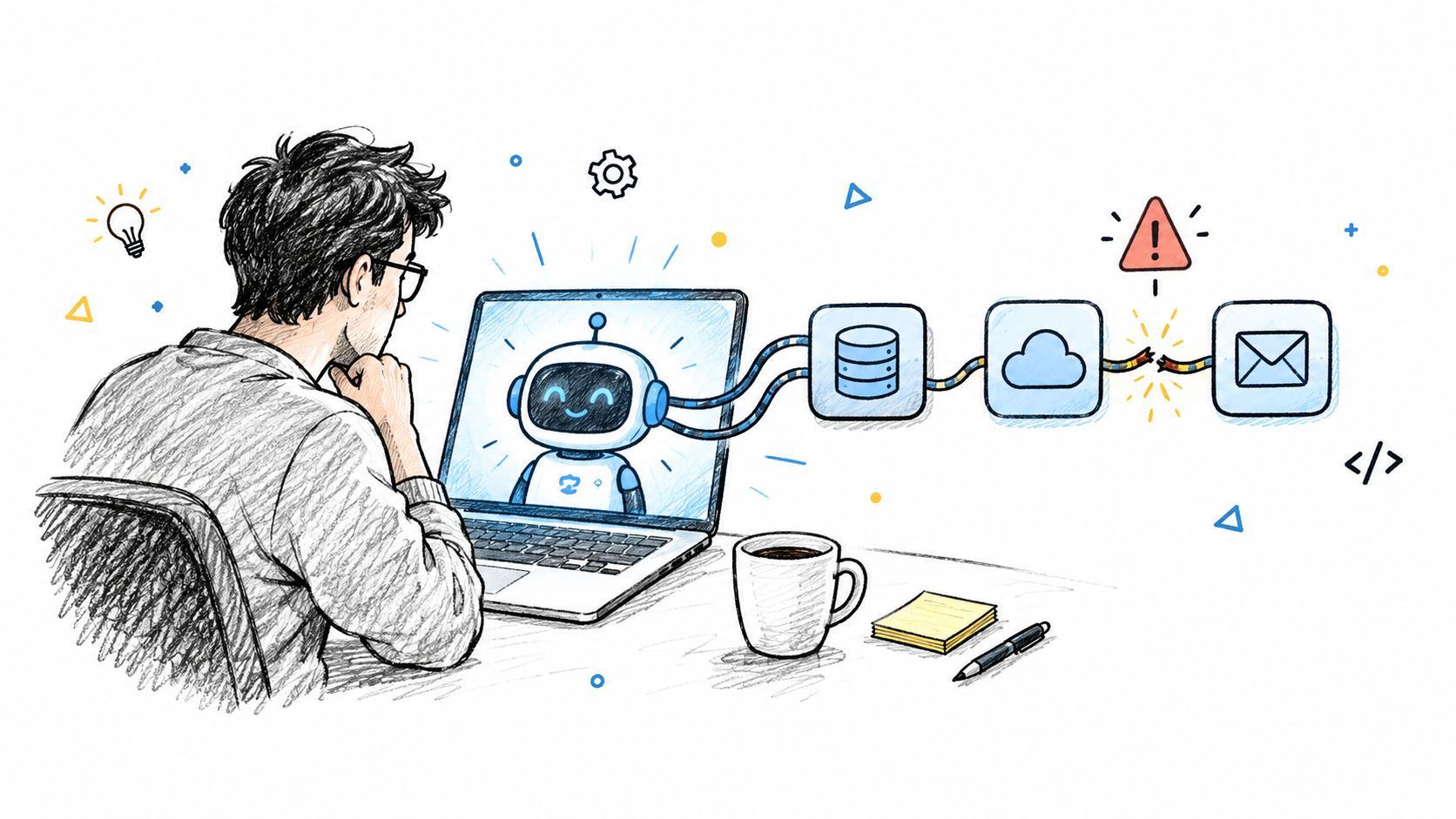
A common failure pattern is simple. A team builds a research agent, connects it to internal docs, lets it call a ticketing system, and gives it access to a file share so it can “be helpful.” Nobody thinks that setup is reckless because each piece seems reasonable on its own. The damage appears later, when the agent follows a plausible plan and does something operationally dangerous with the access it was handed without scrutiny.
Configuration is where the failure starts
The hard part isn't getting an agent to answer well in a sandbox. The hard part is deciding what it can touch once it's connected to production systems. A narrow task can still become a wide blast radius if the agent inherits shell access, a reusable credential, or a connector that can read and write more than the task requires.
That's why pre-deployment review matters more than post-deployment observation. If the agent is already overprivileged, runtime monitoring only tells you how it failed. It doesn't make the configuration safe. A static review of tool definitions, filesystem access, network reach, and autonomy settings catches the dangerous shape before any code runs.
Practical rule: if the agent can reach something that the human owner wouldn't be allowed to change casually, the review isn't finished.
The easiest mistake is treating every issue as a model issue. A hallucination is bad, but a hallucination plus a write-capable connector is how a harmless mistake turns into production damage. That's the boundary security teams need to hold.
Where AI Agent Security Risks Actually Live
The cleanest way to think about ai agent security risks is to separate what the model does from what the deployment allows. Model-layer problems include instruction drift, context contamination, and unreliable interpretation of untrusted text. Configuration-layer problems are more concrete, because they decide which systems the agent can reach, what it can change, and what it can leak if it goes wrong.
Declared intent is not the same as actual capability
An agent can be designed for one purpose and inadvertently inherit another. Its prompt may describe a narrow assistant, while its tool set gives it broad reach into files, APIs, and admin actions. When those two layers don't line up, the actual security posture is defined by the capability graph, not by the marketing description.
The internal review problem is often hiding in plain sight. A connector that reads well in a README may still expose credentials, allow write operations, or permit risky argument patterns. That's why configuration analysis needs to ask a different question than model testing: what can this agent do if it follows the wrong branch?
An agent with limited intent and broad authority is still a broad-authority system.
The easiest way to reason about the risk surface is to group it by origin. Some risks come from retrieval, where untrusted text enters the context. Some come from integration, where tools can mutate data. Others come from autonomy, where the agent is allowed to decide without external review. Once you separate those origins, the review becomes much more actionable, because each one has different controls and different failure modes. For a deeper static-analysis angle, see static AI agent security analysis.
Understanding Prompt Injection as a Control-Plane Failure
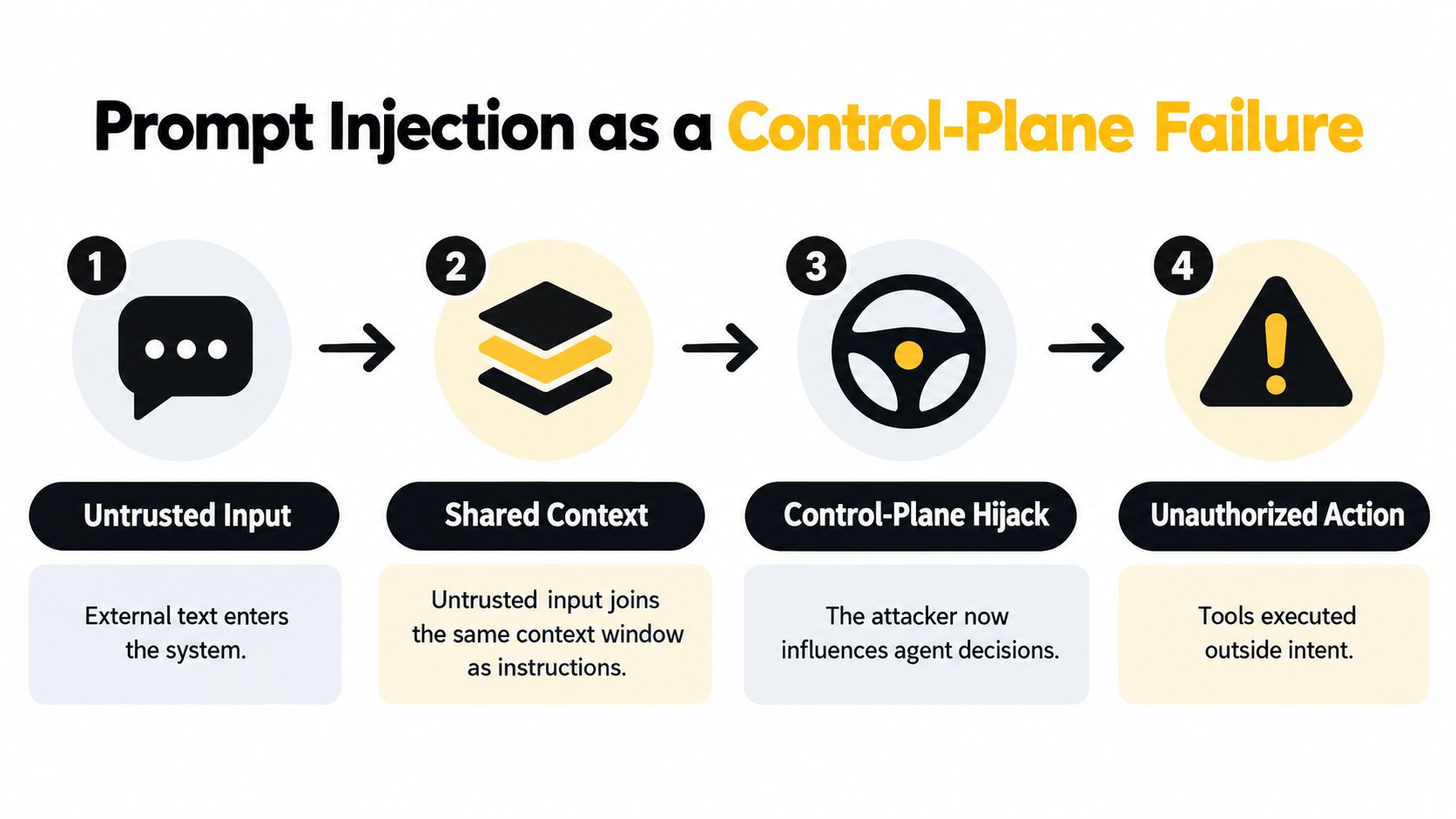
Prompt injection gets described like a content problem, but that framing misses the operational danger. The failure happens when untrusted text enters the same context as trusted instructions, and the model treats attacker-controlled material as something it should obey. At that point, the issue is no longer “bad output.” It's a broken control plane.
How the failure propagates
The path is predictable. First, the agent ingests a web page, email, document, or retrieved record. Then that untrusted text shares context space with the task instructions. If the model reinterprets the foreign text as a higher-priority directive, it can change the plan and call an authorized tool in a way the operator never intended.
The benchmark numbers are sobering. A recent evaluation across 847 adversarial cases reported a 73.2% attack-success rate for the baseline, while a multilayer defense reduced success to 8.7% and preserved 94.3% of baseline task performance benchmark results. That combination matters because it shows both sides of the trade-off, stronger defenses don't have to collapse utility.
The mistake many teams make is stopping at filtering. Content filters can reduce obvious abuse, but they don't authorize a tool call. That's why risky actions need an independent control layer that checks the requested operation, the arguments, the destination, the identity, and the data-flow context before anything executes. When the action is high impact, approval should happen outside the model's own interpretation of its instructions. You can also see why this matters in the video below.
How Tool Misuse and Excessive Permissions Escalate Risk
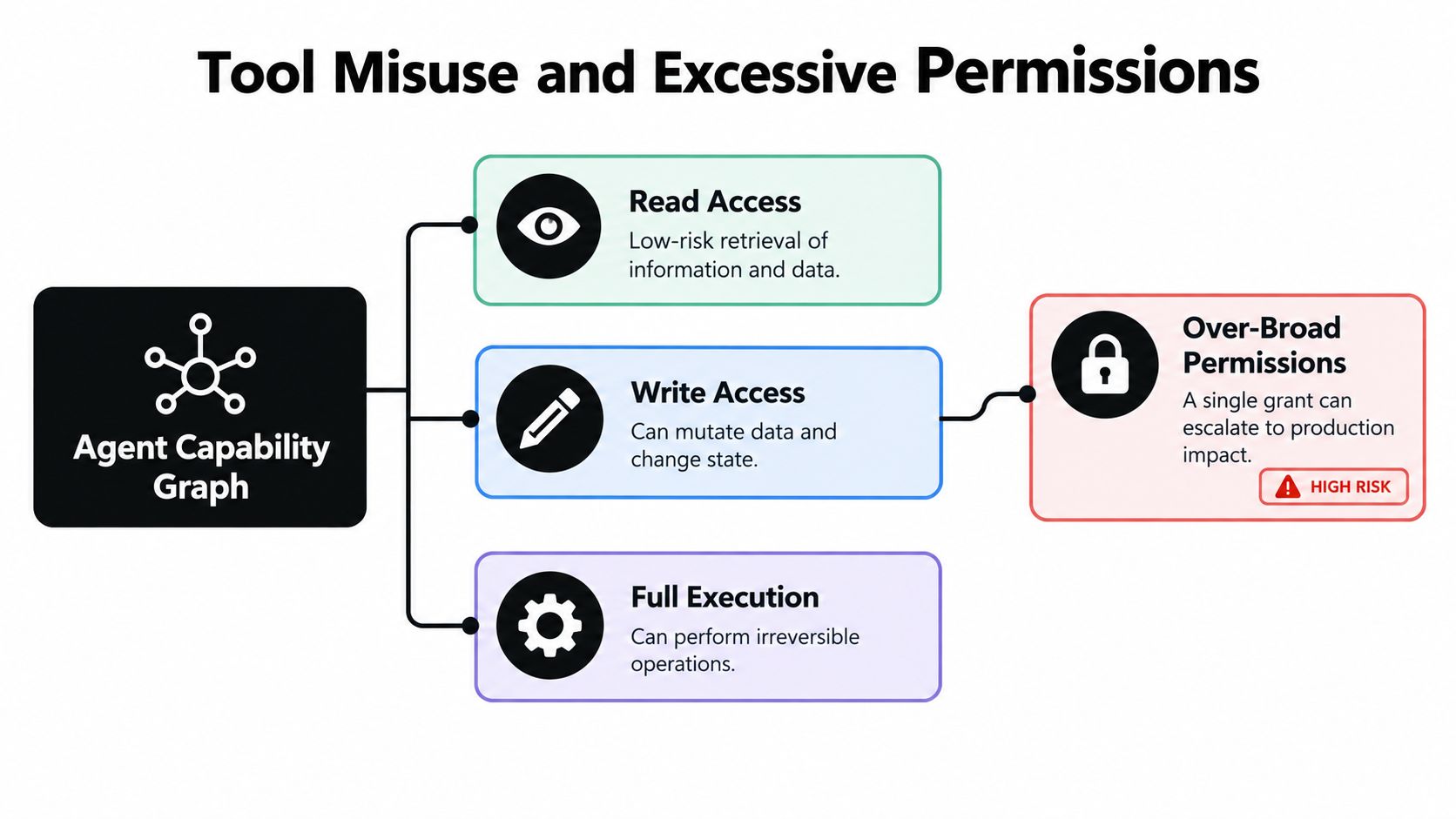
The risk gets worse when the agent's permission set is wider than its task. OWASP breaks agent concerns into distinct categories like tool abuse, privilege escalation, data exfiltration, memory poisoning, excessive autonomy, and high-impact action abuse OWASP AI Agent Security Cheat Sheet. That's the right lens, because each issue comes from a slightly different configuration mistake.
Separate the configuration dimensions
A shell tool is not the same thing as filesystem access. A database reader is not the same thing as a database writer. An HTTP client is not the same thing as arbitrary outbound network reach. Teams get into trouble when they collapse all of that into one vague “tool access” label and stop there.
The practical review checklist is more exact:
- Shell execution: decide whether command execution is needed at all, and if it is, constrain the exact command surface.
- Filesystem access: scope the allowed paths and block broad read or write access by default.
- Network requests: restrict outbound destinations and validate the arguments the tool receives.
- Database writes: separate read-only workflows from mutation workflows, because the consequences are not comparable.
- Persistent credentials: avoid long-lived secrets that travel with the agent across tasks.
- Approval settings: keep approval outside the agent, so the agent can't influence the decision it is supposed to await.
In multi-agent systems, the problem spreads across messages too. If one agent can pass instructions downstream without integrity protection, a compromised instruction can become a distributed control problem. That's why delegation limits, authenticated inter-agent traffic, and strict approval boundaries matter before you scale out. For a deeper access-review pattern, see agent access review guidance.
The Two-Layer Defense Model for AI Agent Deployments
Security for agents works better as a lifecycle than as a single filter. Static assurance handles the configuration you can inspect before release, while runtime enforcement handles the actions that only appear when the agent is live. If you try to make one layer do both jobs, you end up with blind spots.
Static review and runtime control do different work
Pre-deployment review should answer a very specific set of questions. What tools exist, what can they touch, what credentials do they carry, how much autonomy do they have, and which actions need human approval? Runtime controls answer a different question. Given a live request, should this exact action, with these arguments, to this destination, by this identity, happen now?
That separation is the reason runtime telemetry alone can't rescue a bad configuration. If the agent starts with destructive permissions, the logs will be accurate and the design will still be unsafe. Static review catches the overreach before release, while runtime enforcement limits the damage when the request path is legitimate but still risky.
| Layer | When It Applies | Primary Purpose | Examples of Controls |
|---|---|---|---|
| Static Review | Before release | Catch unsafe configuration | Tool review, permission scoping, credential checks, autonomy review |
| Runtime Enforcement | During execution | Constrain live requests | Monitoring, allowlists, deny rules, approval gates, revocation |
The right question isn't “did the agent behave?” It's “was it ever allowed to behave that way?”
The strongest deployments use both layers together. Static analysis blocks dangerous defaults. Runtime enforcement handles the routed requests that still need live oversight. That combination is more durable than hoping monitoring will notice a bad decision after it already happened. For policy-as-code patterns, see agent policy as code.
Pre-Deployment Checks That Actually Prevent Damage
Before an agent reaches production, the review should be deterministic. The same configuration and the same policy should produce the same finding every time, because security gates lose credibility the moment they turn subjective. That consistency is what makes a build break defensible.
What to inspect before launch
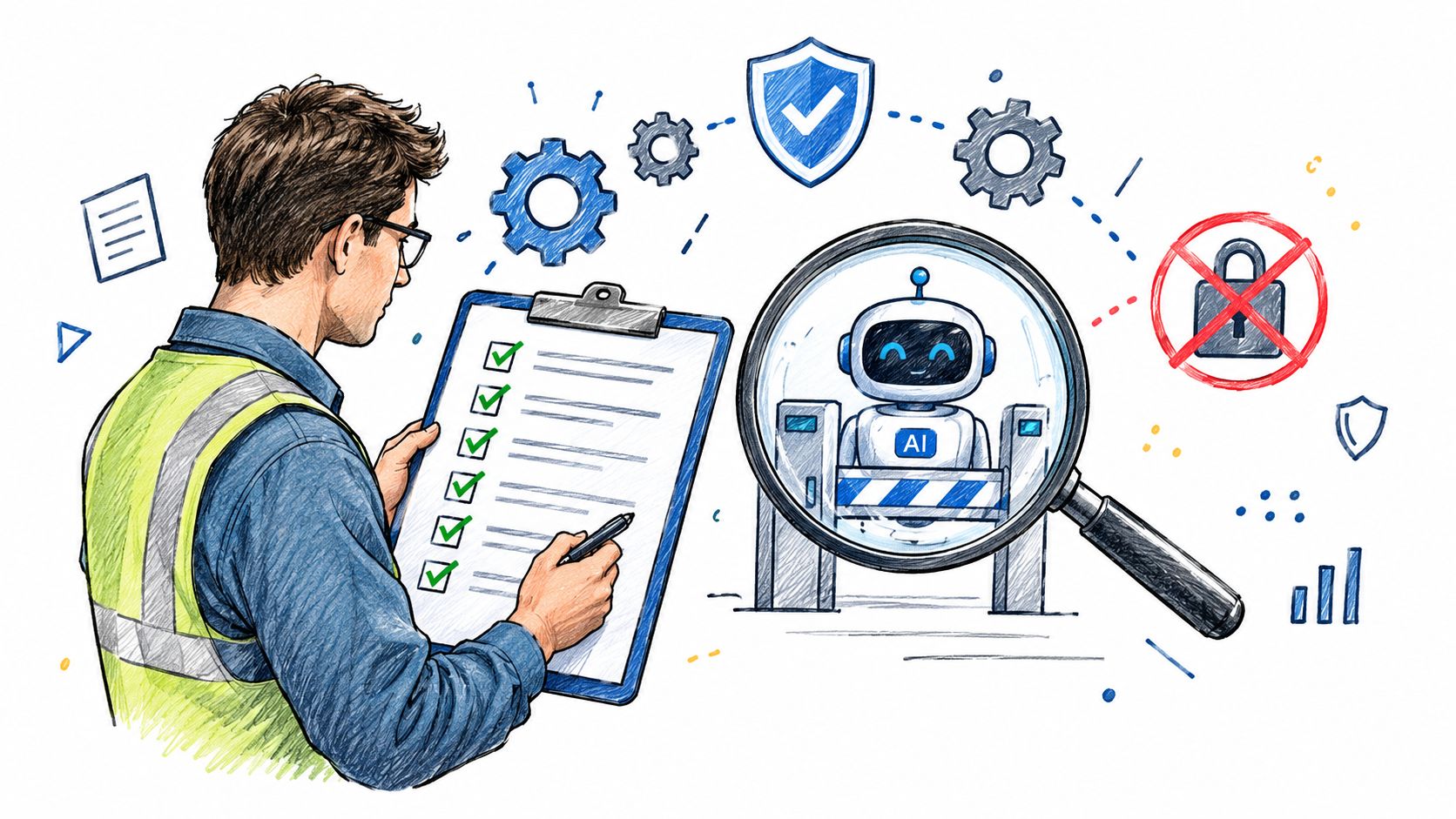
The most useful pre-launch checks stay close to the configuration file and the tool definition. Review shell execution rules, filesystem paths, network destinations, database access patterns, credential handling, and autonomy or approval settings. If any one of those areas is broader than the job requires, the deployment is incomplete.
A few habits make the review more reliable:
- Fail the build on policy misses: don't let risky changes drift into production because someone plans to “watch it closely.”
- Compare against a baseline: new permissions should be visible as a change, not buried in a large file diff.
- Track versions: the security state of an agent should be reproducible by commit, not reconstructed from memory.
- Separate remediation from scoring: if a tool suggests a fix, that suggestion should be independent from the enforcement decision.
The point isn't to slow teams down. It's to remove ambiguity before the agent can act on real data. Once the workflow is live, a mistaken permission stops being a configuration choice and becomes an incident response task. That's a bad place to discover you granted write access to the wrong system.
What You Should Take Away About Agent Security
The pattern is usually the same. A team focuses on prompts, tests the assistant in isolation, and assumes the main risk is adversarial text. Then the deployment reaches production, and the main failure comes from a connector, a credential, or an approval setting that was broader than the task required.
ai agent security risks are usually configuration risks first. Prompt injection matters, but it becomes far more dangerous when the agent is wired to act without an independent authorization layer. Runtime telemetry helps after launch, but it can't make an overprivileged configuration safe once the agent is already live.
The practical move is to treat pre-deployment analysis as a mandatory gate. Review the tools, permissions, credentials, and autonomy settings before launch, then add runtime enforcement only where live control is actually needed. That's the difference between hoping an agent stays safe and knowing what it's allowed to do.
Foo Guard helps teams catch risky agent configurations before they ship, with deterministic static analysis for tools, permissions, credentials, and autonomy settings. If you're reviewing agent deployments or MCP definitions, visit Foo Guard to see how pre-deployment security fits into your workflow.