What Are the OWASP Top 10 Web Application Risks
What Are the OWASP Top 10. Learn what the OWASP Top 10 is, the 2021 and 2025 categories, real threat scenarios, practical mitigations, and how it maps
The OWASP Top 10 is a periodically updated, consensus-based awareness document that ranks the ten most critical web application security risks, first published in 2003 and updated in the 2021 edition covered in detail here. It's the shared shortlist developers and security teams use to decide what to fix first.
You're likely reading this because someone dropped the phrase into a ticket, an audit finding, or a job description and expected you to know it. Maybe a scanner flagged your API. Maybe you're shipping an LLM feature or an AI agent and you've now seen three different lists all calling themselves a Top 10. That's where most confusion starts, so we'll separate the lists early and keep coming back to one question. What are the OWASP Top 10 risks that apply to the system you're building?
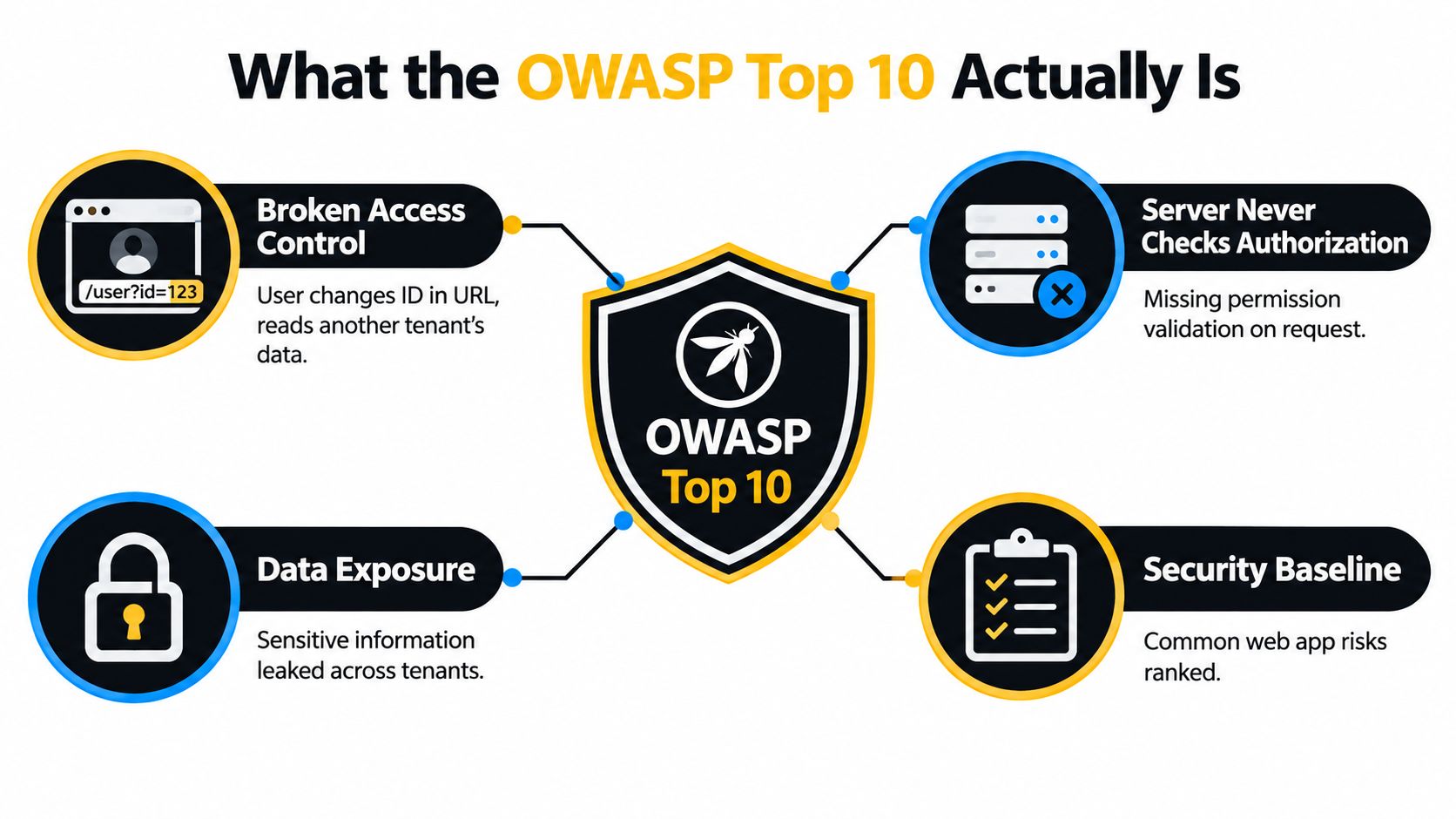
What the OWASP Top 10 Actually Is
A logged-in user opens their invoice at a URL ending in an ID. They change that ID to the next number, refresh, and they're reading another tenant's invoice. No password was guessed and no encryption was broken. The server confirmed who the user was, then never checked whether that user was allowed to see that record.
That failure has a name, Broken Access Control, and giving failures shared names is the whole point of the list. When a developer, a tester, and an auditor all use the same term, they can argue about fixes instead of arguing about what happened.
Awareness Document, Not a Standard
The Top 10 is a risk-ranking and awareness document, intended to help developers, security teams, educators, and organizations establish a common vocabulary for application security priorities rather than serve as a complete vulnerability standard, as the OWASP Top 10 2021 introduction explains. Read it as a prioritized map of where web applications most often get hurt. It tells you where to look first during code review, testing, and threat modeling.
It doesn't tell you everything that could go wrong in your specific system. Your payment flow, your tenant model, and your data retention rules create risks no generic list can anticipate.
What the List Is Not
Three limits are worth stating plainly before you lean on it.
- Not exhaustive: Ten categories can't cover every weakness, and a clean scan against them doesn't mean you're secure.
- Not a compliance checklist: Passing a Top 10 review isn't the same as meeting a regulatory or contractual standard.
- Not a substitute for threat modeling: The list describes common failure patterns, not how an attacker would chain them against your design.
Use the Top 10 to start the security conversation in your team. Don't use it to end that conversation.
If you build or review web applications and APIs, keep reading. If your system also includes an LLM or an autonomous agent, you'll need the additional lists covered later, because this one wasn't written for them.
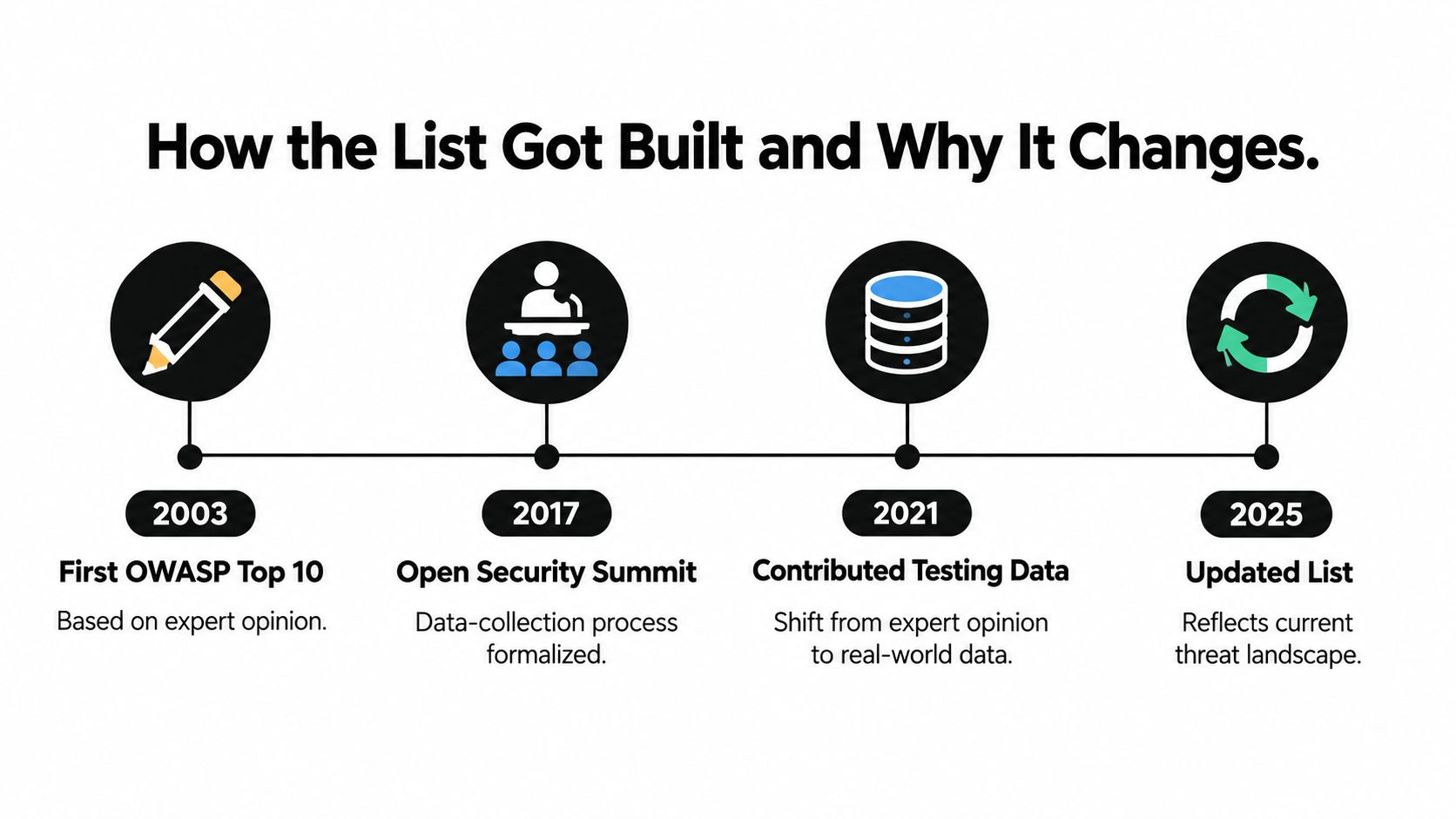
How the List Got Built and Why It Changes
The project first appeared in 2003 and was updated or released in 2004, 2007, 2010, 2013, 2017, and 2021, making it one of OWASP's longest-running projects. Early editions leaned heavily on expert judgment. Later editions leaned on evidence.
That shift matters because expert opinion tends to rank whatever is most memorable. Contributed testing data ranks whatever shows up in real applications, including boring authorization bugs that rarely make conference talks.
Where the Evidence Comes From
OWASP's methodology combines contributed testing data from security vendors, bug bounty providers, consultancies, and internal organizational testing. The project formalized its data collection process at the Open Security Summit in 2017, which improved consistency between editions. Findings get mapped to weakness categories, counted across many applications, and weighed alongside community input before a ranking is published.
This is why the list is called consensus-based. No single vendor's scanner output decides it, and no single researcher can move a category on a hunch.
Why Rankings Move Between Editions
Broken Access Control sat in fifth place in 2017 and rose to first place in 2021 because the accumulated evidence showed its prevalence and risk had grown. Nothing about the bug itself changed. What changed was how often testers kept finding it, across ordinary applications, at scale.
Categories also get renamed, merged, split, or reordered as technologies and evidence change. A category can disappear from the list without the underlying weakness disappearing from production systems. It may have been folded into a broader heading that better matches how the failures cluster.
Practical rule: Learn what each category means and how it fails. Rankings will move under you, and a memorized order won't help you review a pull request.
Treat any edition as a dated snapshot, note which edition your team is referencing in tickets and policies, and expect to revisit your internal guidance when a new one lands. That habit sounds small, but it prevents the common mess where half a team tests against one edition and half against another.
The 2021 Categories Explained in Plain English
Each entry below follows the same rhythm. What it means, how it usually breaks, and the control that stops it. The 2021 edition's ten categories are Broken Access Control, Cryptographic Failures, Injection, Insecure Design, Security Misconfiguration, Vulnerable and Outdated Components, Identification and Authentication Failures, Software and Data Integrity Failures, Security Logging and Monitoring Failures, and Server-Side Request Forgery, as listed on the OWASP Top 10 2021 project page.
The First Five
A01 Broken Access Control means the server doesn't consistently constrain a user to the resources and actions they're permitted to use. Typical causes include trusting client-supplied object IDs, missing server-side function checks, uncontrolled privilege changes, and inconsistent enforcement across API routes. In 2021 it ranked first after rising from fifth, with an average 3.81% of tested applications containing one or more mapped weaknesses and more than 318,000 recorded occurrences across 34 CWEs in the contributed data on that same project page. The control is centralized, deny-by-default authorization on every protected request, with object-level and function-level checks, tenant isolation, and tests that attempt horizontal and vertical privilege escalation.
A02 Cryptographic Failures covers sensitive data exposed because encryption is missing, weak, or misapplied, in transit, at rest, or both. It usually starts with nobody classifying the data, so nobody knows what needs protecting. Classify data first, then apply strong, current algorithms and proper key management end to end.
A03 Injection happens when untrusted input is interpreted as a command or query, whether that's SQL, an operating system command, or script in a browser. The reliable fixes are parameterized queries, safe APIs, and context-aware output encoding, not blocklists of suspicious characters.
A04 Insecure Design is different in kind. The code can be flawless and the system still unsafe because the design never asked how it could be abused. Threat modeling, secure design patterns, and explicit abuse cases during planning are the control here, and they have to happen before the code exists.
A05 Security Misconfiguration is the hardened setting nobody applied. Default credentials, verbose errors, unused features, and permissive cloud storage all live here. The fix is a hardened, reproducible baseline you can rebuild and diff, applied identically across environments.
The Remaining Five
A06 Vulnerable and Outdated Components means you're running libraries, frameworks, or services with known flaws, often without knowing they're in the build. Maintain an SBOM, inventory direct and transitive dependencies, and run a patch process with owners and deadlines.
A07 Identification and Authentication Failures covers weak login, credential stuffing, poor session handling, and recovery flows that leak whether an account exists. Use modern authentication, MFA where you can, rate limiting on auth endpoints, and disciplined session hygiene.
A08 Software and Data Integrity Failures is about trusting code or data you haven't verified, such as unsigned updates or a CI/CD pipeline that deploys whatever it is handed. Sign artifacts, verify sources, and restrict who can change the pipeline itself.
A09 Security Logging and Monitoring Failures means an attack can run for weeks and nobody notices because the right events weren't logged or alerted on. Produce structured logs for authentication and access control events, alert on patterns that matter, and rehearse your incident response before you need it.
A10 Server-Side Request Forgery tricks your server into making requests on an attacker's behalf, often toward internal services that trust it. Segment the network, validate and allowlist destination URLs, and don't let user input choose internal addresses.
A Checklist You Can Save
- Authorize every request: Deny by default, check object and function access server-side.
- Classify then encrypt: Know your sensitive data before choosing controls.
- Parameterize and encode: Never build queries or pages from raw input.
- Model threats early: Write abuse cases alongside user stories.
- Harden the baseline: Script it, repeat it, diff it.
- Inventory components: Keep an SBOM and patch on a schedule.
- Strengthen identity: MFA, throttling, careful session handling.
- Verify integrity: Signed updates, trusted pipeline, reviewed changes.
- Log and alert: Detection you never look at isn't detection.
- Constrain outbound requests: Allowlists and segmentation for server calls.
Which Top 10 Applies to Your System in 2025
Here's the ambiguity hiding inside the search term. What Are the OWASP Top 10 risks can now refer to the conventional web list, the LLM application list, or newer agentic AI work, and many explainers present them as if they were one document. They aren't interchangeable, and the LLM list doesn't replace the web list.
The 2025 Web Categories
The web-focused OWASP Top 10 2025 covers Broken Access Control, Security Misconfiguration, Software Supply Chain Failures, Cryptographic Failures, Injection, Insecure Design, Authentication Failures, Software or Data Integrity Failures, Security Logging and Alerting Failures, and Mishandling of Exceptional Conditions, per the OWASP Top 10 2025 introduction. Broken Access Control remained first in 2025, with 3.73% of tested applications containing at least one relevant CWE, while Security Misconfiguration affected 3.00%, according to that same introduction. Notice the center of gravity. Several entries describe conditions in how you build and operate software, not single lines of bad code.
The 2025 LLM Categories
OWASP's separate 2025 LLM list includes Sensitive Information Disclosure, Supply Chain, Data and Model Poisoning, Improper Output Handling, Excessive Agency, System Prompt Leakage, Vector and Embedding Weaknesses, Misinformation, and Unbounded Consumption. These describe failures that only exist once a model is in the loop, such as a model revealing its system prompt or producing output that downstream code trusts without checking. There's also dedicated OWASP work on agentic applications, which focuses on what an autonomous system can do with tools, memory, and delegated authority over multiple steps.
A useful way to keep them straight is by layer. The web list asks whether your application enforces its own rules. The LLM list asks what the model can be made to say or reveal. The agentic lens asks what the system can be made to do.
Choosing Your Starting Point
| System type | Start with | Then add |
|---|---|---|
| Conventional web app or API | Web Top 10 | Technology-specific controls for your stack |
| Web app with an LLM feature | Web Top 10 | LLM Top 10 for model-facing surfaces |
| Tool-using AI agent | Web Top 10 plus LLM Top 10 | Agentic risks and pre-deployment configuration review |
| Internal tool with no model | Web Top 10 | Threat modeling for your specific data flows |
These layers stack rather than substitute. An agent deployment still has HTTP endpoints, sessions, and a database, so ordinary web and API exposure applies in full. It also has model-specific weaknesses, and on top of that sits configuration risk in tool permissions and autonomy settings that neither list was originally written to describe. Start with the layer closest to your users, then work inward.
Applying the Framework to AI Agent Deployments
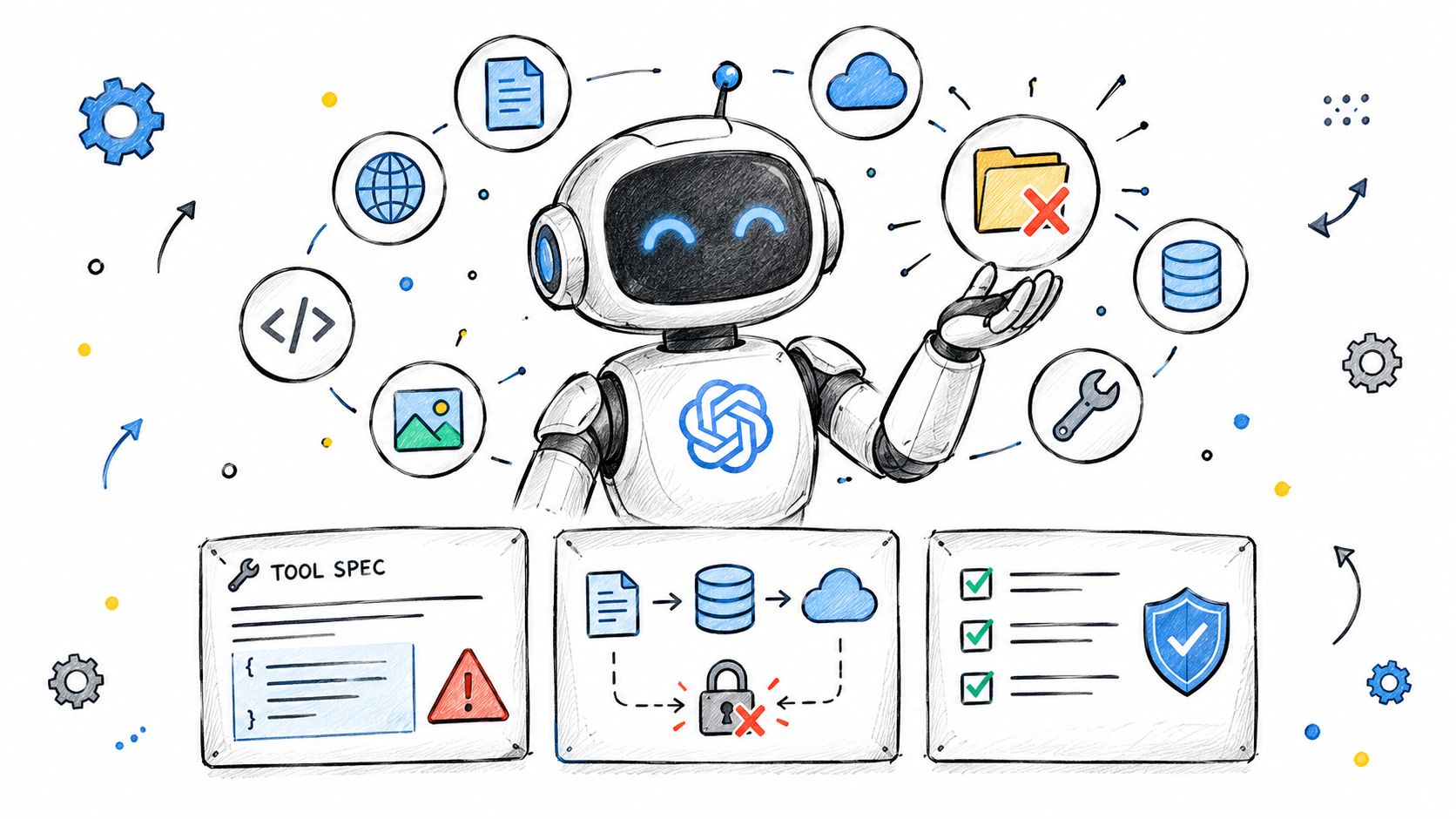
The diagram below shows the surfaces worth reviewing before an agent runs, including tools, data access, and permissions.
Three Configurations That Should Not Ship
First, a tool definition grants unrestricted filesystem write access so the agent can save reports. Nothing limits it to the reports directory, so the same capability can overwrite configuration or drop files elsewhere. That maps directly onto Broken Access Control, because the permission was granted broadly instead of being constrained to the objects the task needs.
Second, a tool spec carries hardcoded credentials for a database because it was fastest during prototyping. Anyone who can read the configuration now holds those credentials, and rotating them means hunting through copies. That sits across Cryptographic Failures and Identification and Authentication Failures, since secrets aren't protected and identity isn't properly managed.
Third, an autonomy setting lets the agent chain tool calls and take external actions without human approval. Nobody made a deliberate decision to allow that. It was the default, and nobody reviewed it. That's Security Misconfiguration in agent clothing, and it's the pattern teams miss most often because the config file looks harmless.
Why Review Happens Before Deployment
These three problems are visible in the definition files before anything executes. A static, deterministic review of agent and MCP style definitions can point at the exact permission or tool edge that creates the authorization surface, rather than reporting a vague concern. That's the same discipline as checking authorization in code review, moved earlier, and it's what an AI agent security scanner is built to do.
Static findings alone aren't enough, though. Pair them with runtime controls such as gateway allowlists, argument validation, and deny rules on routed calls, so a configuration mistake doesn't immediately become an executed action.
The short video below is worth watching for how these tool and permission surfaces look in a real agent setup.
Configuration review is a Top 10 shaped control, not a replacement for the framework. It covers the permissions, credentials, and autonomy decisions that traditional web scanners don't read, while your endpoints and data layer still need conventional testing.
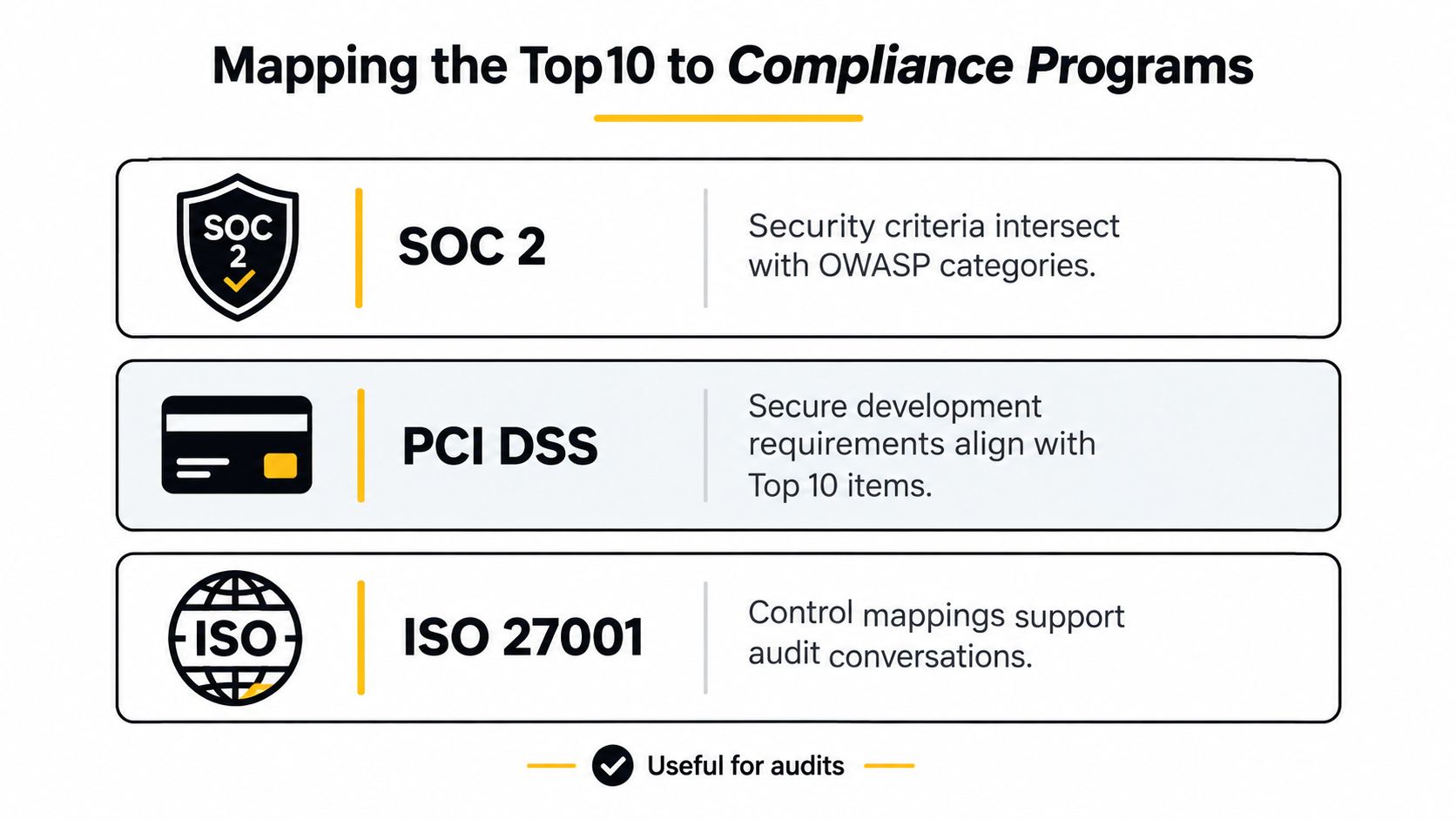
Mapping the Top 10 to Compliance Programs
Auditors and engineers often describe the same weakness in different words, and that translation problem is where the Top 10 earns its keep in compliance work. It gives both sides a shared set of category names to organize findings around. It doesn't grant compliance with anything by itself.
Where the Categories Intersect
With SOC 2, the overlap sits in the security criteria around access control, change management, and monitoring. Broken Access Control, Security Misconfiguration, and logging failures give you concrete engineering language for controls an auditor will ask about abstractly.
PCI DSS secure development expectations align naturally with Injection, Cryptographic Failures, and component management, since payment environments care about how cardholder data is handled and how software is built. ISO 27001 Annex A controls similarly intersect with access control, cryptography, supplier and component risk, and logging, which makes the categories useful evidence organizers during an audit conversation.
These are intersections, not equivalences. Each standard has scope, evidence, and process requirements the Top 10 never attempts to address.
The Top 10 is an awareness and prioritization framework. It supports a compliance program, it isn't one, and citing it doesn't satisfy a control on its own.
Using the Mapping Without Overclaiming
Cite the Top 10 when you're explaining why a control exists, prioritizing remediation, or training engineers. Don't cite it as proof that a requirement is met. Auditors want to see the control operating, with evidence, over time.
That evidence habit translates well to agent governance. Writing your authorization and tool rules down as agent policy as code gives reviewers something versioned and testable instead of a verbal assurance. Organizations still need technology-specific controls and regulatory requirements layered on top of the framework, and the mapping is a starting point for that work rather than the finished product.
Common Misconceptions and a First-Week Program
Three misconceptions cause most of the damage. Teams treat the list as a complete checklist, finish it, and stop thinking. Teams use it as a substitute for threat modeling, so design-level abuse cases never get written. And teams assume one list covers web, LLM, and agentic risk at once, which we've already seen it doesn't.
Your First Week
- Pick two categories: Choose the ones closest to your stack and data, not the top two by rank.
- Write one abuse case each: Describe how an attacker exploits it in your system specifically.
- Add one check per category: Put it in code review or CI so it runs without willpower, the same way teams wire in AI agent CI security gates for agent configs.
- Revisit quarterly: Retire checks that never fire and add the next category.
Categories will keep shifting as OWASP's data-driven process continues. The durable skill isn't memorizing a ranking. It's reading a category, understanding the failure behind it, and recognizing that failure in your own code and configuration.
If you're shipping AI agents, Foo Guard reviews your agent and MCP configuration files before deployment and flags the excessive tool permissions, exposed credentials, and unchecked autonomy settings that map onto the access control and misconfiguration risks covered above. You can enforce those findings as policy in CI and monitor routed tool calls at runtime, so the review doesn't stop at a report. Visit Foo Guard to scan your first configuration.