Policy as Code Examples: 8 Agent and MCP Config Templates
Explore 8 policy as code examples for AI agent configs and MCP tool specs, with OPA, Kyverno, Checkov, and Cedar. Templates, trade-offs, and usage scenarios.
A pull request lands with a tiny-looking change, a shell-capable tool gets added to an agent config, and nobody in CI asks what that agent can now execute. That is the risk with agent and MCP definitions, the task can look harmless while the permission surface expands around it. Policy as code examples matter here because the check needs to sit on the config itself, not in tribal memory or a wiki page no one opens. Tools like Foo Guard fit that same pattern as a deterministic, file-based scanner for risky permissions, tools, credentials, and autonomy settings.
The right mental model is simple. Treat agent permissions, tool access, network behavior, and approval requirements as versioned policies, then test them before anything runs. The eight examples below show how different policy engines handle that job, each with a template-level rule sketch, a practical usage scenario, and a rollout sequence teams can copy.
1. Open Policy Agent with Rego
OPA is the clearest reference point because it separates the decision from the application. For agent and MCP configs, that means you can turn JSON or JSON-like input into explicit allow and deny rules instead of spreading checks across services.
Practical rule: keep the policy in a shared bundle, then test both passing and failing fixtures so a repository can't quietly weaken the organization's baseline.
A useful Rego shape is straightforward. Map each agent tool to an input object, then deny any config that enables unrestricted shell access, exposes credentials, or grants network reach without an approval flag. The same rule can evaluate an agent manifest and an MCP tool definition if both are normalized into JSON before the policy runs. OPA's strength is that the rule stays readable while the input stays flexible, which makes it a good fit for central governance.
For rollout, start with a small set of hard failures. Run the policy in CI on pull requests, compare outputs against known-good and known-bad fixtures, then publish the bundle from a separate repository with its own review path. That keeps policy changes visible and prevents feature teams from editing away a control they don't like. If you already use a platform such as Foo Guard's agent policy model, the shape will feel familiar, the scanner is doing the same kind of deterministic pre-deployment review.
The pitfall is overreach. A single broad rule can become noisy fast, so keep the first policies narrow and concrete, especially around tool invocation, filesystem reach, and secrets exposure.
2. Conftest
Conftest gives fast file-level checks for agent and MCP configs. It works well when policy lives beside manifests, because teams can run it locally or in CI before a bad change reaches merge.
A template-level rule can inspect YAML or JSON agent definitions for three common failures, a shell tool that should not be exposed, an unpinned external command, or a credential field left in plain text. Conftest reads the file, evaluates the Rego policy, and returns a clear pass or fail for each object. That makes it practical for PR checks, especially when platform teams want to warn first and deny later.
Use Conftest to catch permission, tool, and credential drift before a reviewer has to spot it by hand.
Rollout that works
Start with pull requests and a warning-only rule set, then run the same checks on the default branch so drift does not slip through after merge. Move the strongest controls to hard failure only after the noisy cases are tuned out. Store the policy bundle in a separate repo, review it like product code, and publish it consistently across services, the same discipline Foo Guard describes for AI agent CI security.
The trade-off is scope. Conftest is good at file-level gates, but it does not control runtime behavior on its own. If an MCP server later proxies an approved tool call with altered arguments, you still need a gateway or runtime policy layer. When teams pair warn-then-deny staging with required GitHub checks, the unsafe config fails before merge and the review queue shows exactly which rule blocked it.
3. OPA Gatekeeper
Gatekeeper matters when the agent config is tied to Kubernetes admission. It gives you reusable constraint templates and resource-specific constraints, which is useful if agent workloads are deployed as pods, sidecars, or namespace-scoped controllers.
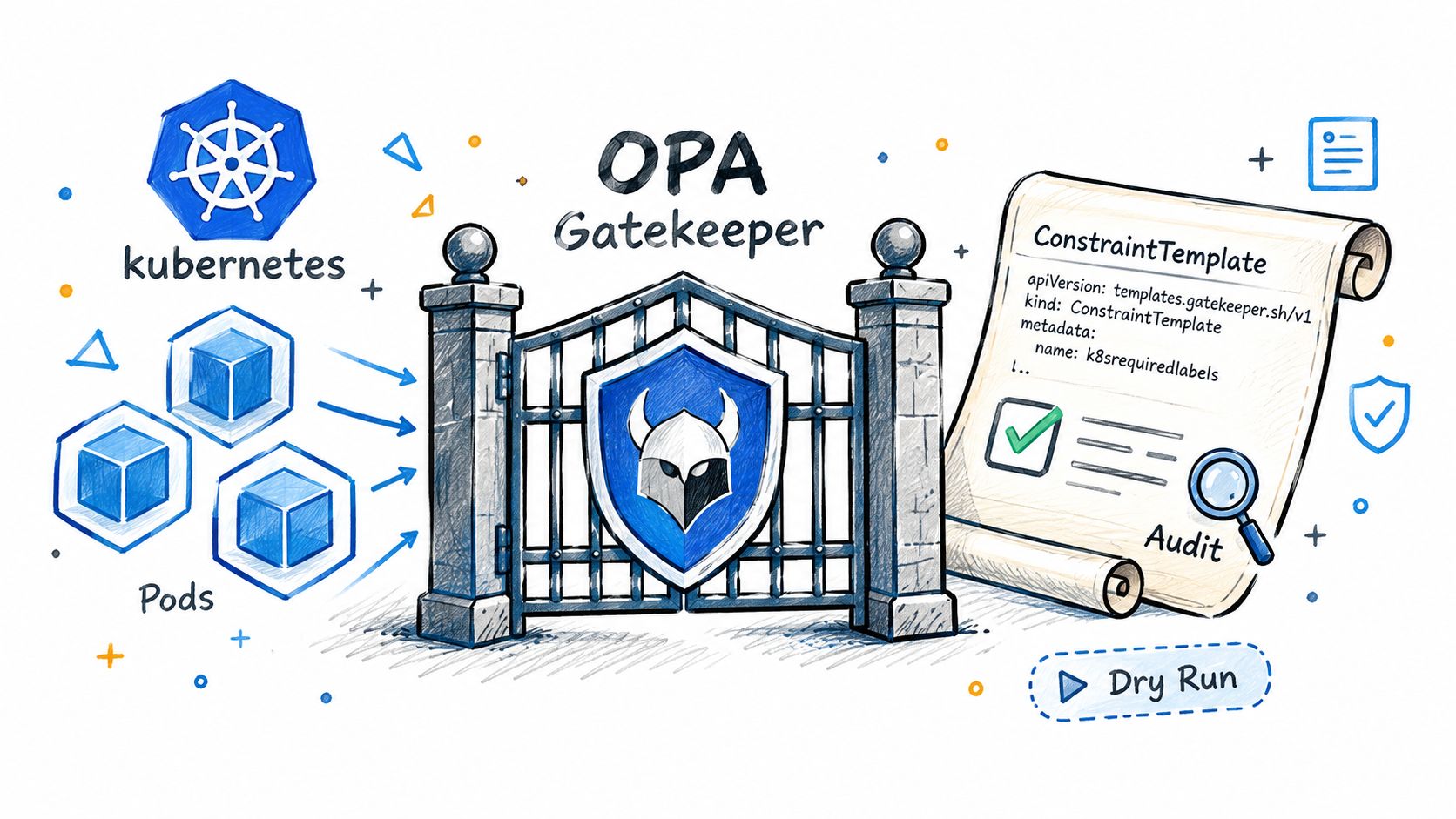
A good agent-policy template here would block workloads that mount secret volumes without a corresponding approval annotation, or that expose an agent container with a writable filesystem and shell tools enabled. Gatekeeper can also audit existing resources, which helps when teams inherited unsafe defaults before policy arrived. That audit path is the key value, because it shows what was already live before enforcement begins.
Start with dry run, then inspect audit output before you flip the switch on enforcement.
A practical rollout sequence is to pair Gatekeeper with pre-merge scanning. First, validate the agent or MCP config file in CI. Then, when the deployment manifest reaches the cluster, let Gatekeeper check the live resource against the same control intent. Exclude system namespaces explicitly, or you'll spend your first week breaking platform components and explaining why.
After you've got one or two constraints stable, attach them to the namespaces where agent workloads run. That keeps the blast radius small and makes the audit trail easier to read.
The main limitation is cognitive load. Gatekeeper is powerful, but teams need to understand both the template and the constraint object. Keep the first rules narrow and reusable.
A short video walkthrough can help engineers map the same control logic from file-based review to cluster admission.
4. Kyverno
Kyverno is the easier on-ramp for teams that want Kubernetes-native policy without learning Rego. Since the policies are YAML resources themselves, platform teams can keep the format close to the rest of their deployment work.
For agent configs, a Kyverno policy can validate that a workload running an MCP server uses approved image tags, that a tool container doesn't request privileged mode, or that an approval annotation is present before runtime access is enabled. The clean part is that validate, mutate, generate, and cleanup are all first-class behaviors. That means you can both block a bad config and patch in safe defaults, like labels or security contexts.
What usually works
Adopt Kyverno in audit mode first. Let teams see which agent deployments would fail, then use those reports to adjust the rules before turning them into enforcement. Keep the policies in Git and promote them through environments the same way you would application code. That avoids the common trap where dev and prod drift apart because policy was hand-edited in the cluster.
The trade-off is that mutation can hide poor upstream habits if you overuse it. A default label is helpful, but auto-correcting risky autonomy settings can make it too easy for teams to skip real remediation. Use mutation for safe hygiene, not for fixing structural permission problems.
Kyverno works best when the policy itself stays close to the manifest shape the team already understands. If the config is YAML, the policy should feel like YAML too.
5. HashiCorp Sentinel
Sentinel fits teams already living in Terraform Cloud or Terraform Enterprise. It enforces policy against plans, state, and configuration before the change lands, which is useful if agent infrastructure is managed that way.
A reasonable Sentinel sketch for agent configs would restrict approved runtime locations, require ownership tags, or fail a plan if a tool definition includes unconstrained network access. In practice, the policy reads the plan and can block a deployment before the service is provisioned. That's helpful for agent backends, MCP servers, or supporting infrastructure where the config change and the infrastructure change happen together.
One real advantage is enforcement levels. Advisory, soft-mandatory, and hard-mandatory let you stage the rollout instead of forcing every repository into the same stance on day one. Start advisory to measure blast radius, then move only the high-confidence rules to hard-mandatory.
The risk is assuming policy review and application review are the same thing. They aren't. A good Sentinel policy can reject a bad infrastructure change, but it won't tell you whether the agent's own manifest is exposing a credential in a tool spec. Pair it with a file scanner if your configs live outside Terraform.
Use separate policy sets from application workspaces, and keep the exception path explicit. If an override gets approved, log it and review it later. That keeps governance defensible when someone asks why one repo got a pass and another didn't.
6. Checkov
Checkov is the blunt, practical option for static analysis in CI. It scans many IaC formats, and that makes it handy when agent deployments are mixed with Terraform, Kubernetes, Helm, or Dockerfiles.
For agent and MCP definitions, the best template-level use is a baseline file plus custom checks for risky fields. A team can block a pull request if an agent config includes open security groups, a container with broad network reach, or a tool spec that exposes secrets in plain text. The baseline matters for legacy repos, because it lets teams adopt the tool without forcing every historical issue to fail on day one.
Operational rule: fail only on new findings in pull requests, then use the default branch baseline to keep legacy debt visible without freezing delivery.
Rollout should be boring. Run Checkov in GitHub Actions, publish the findings as build output, and let teams attach a justification comment for documented exceptions. If the first wave is too strict, people will skip the check, and that defeats the point. Start with the findings that are both obvious and dangerous, then expand into organization-specific rules.
Checkov's strength is coverage. The downside is noise if you try to use built-in checks as a complete agent security model. It's better as a fast gate for configuration hygiene than as a full authorization framework.
For teams that need supported formats and packaging guidance, Foo Guard's format documentation is a useful reference point for aligning agent definitions with a deterministic scan path.
7. AWS CloudFormation Guard
CloudFormation Guard is a strong fit when the agent environment is described in AWS-native templates. The DSL is readable, which helps when security reviewers need to understand the rule without translating from a general-purpose language first.
A practical rule sketch for agent configs would require encryption on storage, deny public exposure on supporting resources, and reject templates that create an execution role with more access than the agent requires. Since Guard works well in pre-commit, CI, and CloudFormation Hooks, you can use the same rule pack before deployment and at preventive runtime checkpoints.
The best rollout pattern is to write the rule as an assertion a reviewer can read. Then add comments explaining why each control exists. That sounds simple, but it matters because rule packs age better when people can still understand the intent months later. Test the rule against one known-good template and one known-bad template before you widen the blast radius.
The limitation is that Guard is domain-specific. That's a strength inside AWS, but it also means teams using multiple runtimes will need a second layer elsewhere. If your agent configs are split between CloudFormation and plain YAML, Guard should cover the AWS part while another scanner handles the rest.
Used well, it becomes a readable contract between platform and security teams. Used poorly, it turns into a pile of one-off rules no one wants to touch.
8. Cedar Policy Language
Cedar is the cleanest match for explicit authorization, which is exactly where agent tool calls tend to fail in practice. It uses default deny, so every permission has to be declared rather than assumed.
For agents and MCP tools, model each tool as an action, each caller as a principal, and each sensitive artifact as a resource. Then write permit rules for the narrow cases that should succeed, and forbid rules for hard limits like blocked tools, protected resources, or admin-only commands. That makes Cedar useful when you need fine-grained decisions that can be analyzed before deployment.
Default deny is the right starting point for autonomous tool use. If the policy can't explain why a call should succeed, the call shouldn't succeed.
A solid rollout sequence is to keep the policy in CI and run validation whenever it changes. First, encode the tool map. Next, test conflicting permit and forbid rules so you can catch contradictions before they ship. Then attach the authorization layer to the service that brokers tool calls, not just to the static manifest. That separation matters because a clean config doesn't guarantee safe runtime behavior.
The trade-off is that Cedar solves authorization best, not full static config review. It won't replace a scanner that inspects credentials or dangerous fields in the file itself. It works best as the runtime decision layer that follows a deterministic pre-deployment gate.
Policy-as-Code: 8-Tool Comparison
| Tool | Implementation Complexity 🔄 | Operational / Resource Requirements ⚡ | Expected Outcomes ⭐ | Ideal Use Cases 💡 | Key Advantages 📊 |
|---|---|---|---|---|---|
| Open Policy Agent (OPA) with Rego | 🔄 Medium–High, Rego functional paradigm and policy modeling | ⚡ Moderate–High, service/sidecar/library plus bundle distribution | ⭐ Consistent, deterministic policy decisions across systems | 💡 Cross‑platform policy-as-code (Kubernetes, APIs, CI, infra) | 📊 Single policy language, mature ecosystem, testable/versioned policies |
| Conftest | 🔄 Low–Medium, uses Rego but CLI workflow is simple | ⚡ Low, runs in CI/locally, no runtime infra | ⭐ Fast pre-merge validation with pass/warn/fail results | 💡 CI checks for YAML/JSON/HCL and pull request gating | 📊 Lightweight, easy CI integration, shareable policy bundles |
| OPA Gatekeeper | 🔄 Medium, Rego + ConstraintTemplate modeling | ⚡ High, admission webhook and controller running in cluster | ⭐ Enforced admission-time controls and cluster audit reports | 💡 Kubernetes admission enforcement and retrospective audits | 📊 Audit-then-enforce pattern, reusable templates, cluster-level control |
| Kyverno | 🔄 Low–Medium, YAML-native policies, less Rego knowledge needed | ⚡ High, cluster webhook/controller installed like Gatekeeper | ⭐ Validate/mutate/generate policies with built-in reports and image checks | 💡 Kubernetes teams wanting policy-as-Kubernetes-resources (YAML) | 📊 Low barrier for YAML authors, supply-chain checks, policy reports |
| HashiCorp Sentinel | 🔄 Medium, domain-specific policy language for infra plans | ⚡ Medium–High, best with Terraform Cloud/Enterprise workflows | ⭐ Governance with advisory → soft → hard enforcement tiers | 💡 Policy controls tightly integrated with Terraform runs and approvals | 📊 Granular enforcement tiers, workspace-level policy sets, approval flow |
| Checkov | 🔄 Low, out-of-the-box checks; custom policies add complexity | ⚡ Low, CI scanning, GitHub Action and integrations | ⭐ Broad IaC misconfiguration detection mapped to compliance frameworks | 💡 Scanning Terraform/CloudFormation/Kubernetes/Helm in CI | 📊 Large builtin checks, baseline support, compliance mappings for audits |
| AWS CloudFormation Guard (cfn-guard) | 🔄 Low, readable Guard DSL, concise assertions | ⚡ Low, CLI/CI/CloudFormation Hooks; optimized for AWS templates | ⭐ Fast, readable validation of JSON/YAML templates pre-deploy | 💡 CloudFormation template validation and AWS conformance packs | 📊 Human-friendly DSL, fast evaluation, CloudFormation integration |
| Cedar Policy Language | 🔄 Medium, requires modeling principals/actions/resources and schemas | ⚡ Medium, runtime integration (e.g., Amazon Verified Permissions) | ⭐ Fine‑grained, analyzable authorization with default‑deny semantics | 💡 Authorization for agent/tool actions and resource access control | 📊 Default‑deny model, analyzable policies, tooling for conflict detection |
Turn These Policy Examples Into a Review Gate for Agent Configs
The cleanest rollout starts with one high-risk rule, not ten. Pick the thing that scares you most, like unrestricted shell access or exposed credentials in an agent tool spec, express it in one policy engine, and test it against a passing fixture and a failing fixture. Run it in audit or warn mode on pull requests first, review the findings with the people who own the configs, then move the rule to enforcement once the false positives are under control.
That sequence works because it preserves trust. Developers see the policy fail for the right reasons, security teams get deterministic results, and the organization keeps a stable trail of what was checked and when. Keep shared rules in a versioned location so a single repository can't weaken the organization's baseline, and attach evidence to every decision so review and audit don't become guesswork.
Foo Guard applies the same model to agent configurations through deterministic scans and .fooguard.yml thresholds such as failOn and minGrade. Start there if you want a file-based gate before you write custom rules, then extend the same workflow to CI and runtime enforcement.
Foo Guard helps teams review agent configs and MCP tool definitions before they run, with deterministic findings for risky permissions, tools, credentials, and autonomy settings. If you're turning policy as code into a real gate for your delivery pipeline, visit Foo Guard and see how the scanner, Library, and Hosted Gateway fit that workflow.