Hardening Your Pipeline: Ci Cd Security Best Practices
Explore ci cd security best practices to harden pipelines: secrets management, least privilege, PR scans, fail thresholds and audit trails, with an example.
You're looking at a pull request that adds an MCP server so an agent can touch docs during a release. The diff is short. The declared access is not. A literal token, a home-directory path, and a shell tool with no approval step are all sitting in the same file, and that file can reach the default branch the same way a workflow file can.
CI/CD security best practices for this change start with the text you can read, not with a running process. A static review shows what the configuration declares. It does not show what happens after a client starts a server.
Start With a Synthetic Agent Config
The task is concrete. Review one agent configuration before it can change a pipeline, and do it on a redacted copy. Replace live credentials and tokens with placeholders before you paste or upload anything.
The block below is synthetic. It is not an official Cursor, Claude Desktop, VS Code, or Continue file, and example-docs-mcp is an invented package name you should not install. Anthropic's API release notes document MCP as a connector to remote servers. They do not establish a native Claude Desktop file schema, local-server fields, or credential rules. Check a client's own docs, and the supported formats, before you decide a native file needs rewriting into another schema.
# synthetic review input, not a client file
server: example-docs
command: npx
args:
  - example-docs-mcp@1.4.2
  - --fs
  - /home/dev
env:
  EXAMPLE_API_TOKEN: "literal-token-do-not-use"
tools:
  - name: run_shell
    approval: none
Read it in this order.
- Embedded credential. The
enventryEXAMPLE_API_TOKENholds a literal string rather than a secret-store reference. - Broad filesystem root. The filesystem argument is
/home/dev, the whole home directory, not the project. - Shell capability.
run_shellcan execute commands. - Missing approval.
approvalisnone, so a write doesn't wait for a person.
Each finding should name the rule, severity, configuration field, evidence, and a suggested change. The narrower block changes four fields:
server: example-docs
command: npx
args:
  - example-docs-mcp@1.4.2
  - --fs
  - ./project
env:
  EXAMPLE_API_TOKEN: "secret-store:example-docs/api-token"
tools:
  - name: read_docs
    mode: read-only
    approval: required-before-write
env now points at a placeholder secret-store reference, so the value isn't in git. --fs is limited to ./project, the directory the task needs. mode: read-only drops the shell-capable tool. approval: required-before-write stops a write until someone approves it.
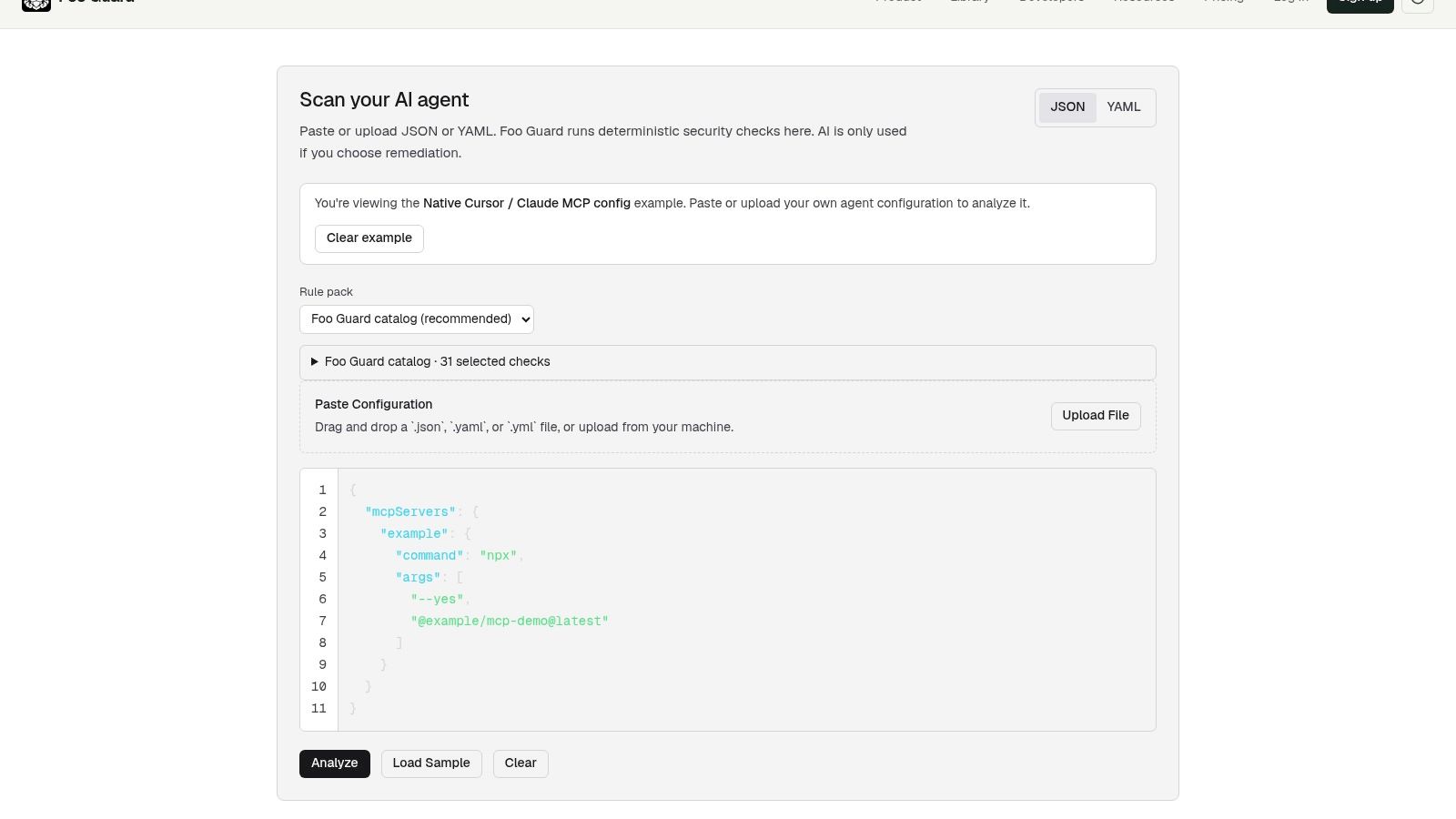
To score this input, paste the redacted copy into the Foo Guard scanner or upload it as a JSON or YAML file, keep the default rule selection or narrow it, and run the analysis. The result lists each finding with its severity and remediation guidance, plus a security score and grade for the configuration. Foo Guard detects and redacts secrets during analysis and does not persist credential values, but redacting on your side keeps live tokens out of every step before that.
Practical rule: A clean static result is not a certification, and pinning
example-docs-mcpat 1.4.2 does not make that package safe.
Put the limits beside the example. This review inspects declared command, arguments, environment references, and permissions. It cannot prove a client launches the server, that the package is authentic, or what the tool does once it runs. Whether read_docs stays read-only under load is a question for runtime monitoring after merge.
CI CD Security Controls by Pipeline Stage
Agent and MCP configuration reaches the default branch through the same pull requests as workflow files, so it gets the same review. Recent research on agentic CI/CD calls this bounded autonomy. Safety comes from pull-request approvals, repository permissions, and policy gates, not from a guarantee inside the agent. The practical question is whether that config was allowed to use shell, filesystem, network, credentials, deployment, or approval rights.
An agent-generated change can pass ordinary tests and still be an unauthorized control-plane edit. Treat the configuration as a versioned supply-chain artifact. Scan it before execution, keep findings tied to the commit, and separate advisory notes from pass or fail.
| Practice | Pipeline stage | What it stops | How to enforce it |
|---|---|---|---|
| Secret management | Commit and build | Embedded credentials in agent or pipeline files | Pre-merge secret scan and secret-store references |
| Least-privilege tokens | Build and deploy | Over-broad CI tokens and tool permissions | Read-only defaults and scoped write permissions |
| Job and environment segmentation | Build, test and release | A compromised build step reaching release rights | Separate jobs and an approval-gated release environment |
| Pinned dependencies | Dependency install | Silent version drift in packages | Exact versions, lockfiles and integrity checks |
| Pre-merge scanning | Pull request | Risky configuration reaching the default branch | PR check with fail thresholds |
| Pre-deploy gates | Release | Unresolved critical findings shipping | Policy thresholds that fail the pipeline step |
| Audit and monitoring | After merge and release | Unexplained changes and gaps in runtime visibility | Logs, exception review and monitoring of routed requests |
Secret management catches the literal EXAMPLE_API_TOKEN before commit. Least-privilege tokens keep read_docs from inheriting shell rights. Job segmentation stops a build job from holding release rights. Pinned dependencies freeze example-docs-mcp@1.4.2 so the resolver doesn't drift. Pre-merge scanning blocks the risky file from the default branch. Pre-deploy gates stop shipping while a critical finding is still open. Audit and monitoring records what changed after release and which routed calls were blocked.
A longer look at enforcement lives in the stage-specific guidance below. A row is a control to verify, not a certificate that the pipeline is secure. A control that isn't enforced at merge or release gives no protection.
Least Privilege Credentials and Job Segmentation
Narrow the synthetic file and the pipeline around it in six steps. We review shell, filesystem, network, database, and approval settings in agent configuration. These are settings to verify, not proof of runtime behavior.
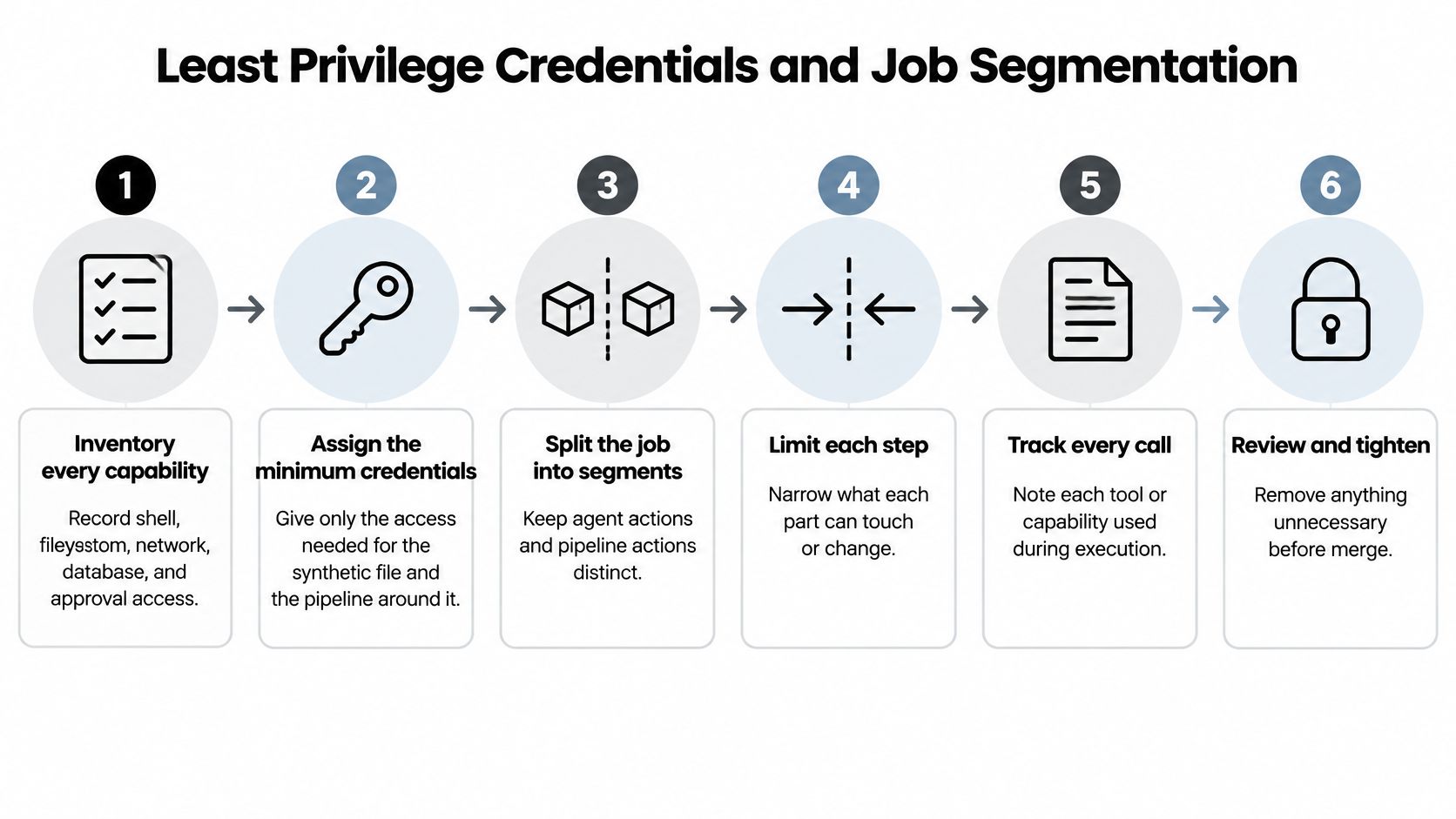
- Inventory every tool the agent or job can call. Record shell, filesystem, network, database, or approval capability. The slip is a helper left on from debugging that still has a shell.
- Replace wildcard and home-directory paths with the project directory the task needs.
./projectreplaces/home/dev. The slip is a*or~that survived a local test. - Remove literal tokens. Reference an environment variable or the CI secret store, and rotate any value already committed. The slip is a verbose step that echoes the secret into the log. Protecting credentials in regulated software is a useful companion when the store, rotation, and access reviews have to satisfy an auditor.
- Set workflow token permissions to read-only, then grant write only to the job that needs it. The slip is a repository default of write that every job inherits.
- Split build, test, and release into separate jobs, and gate release with an environment that requires approval. The slip is one job that builds and publishes because it was faster to wire that way.
- Prefer short-lived credentials or OIDC federation over long-lived static keys. A 2025 report on Datadog's State of DevSecOps research found that 58% of organizations used a long-lived credential at least once to authenticate GitHub Actions pipelines, down from 63% the previous year. The slip is a cloud key stored as a pipeline secret "just until OIDC is ready."
For GitHub Actions token scope and environment protection, the GitHub Actions security guide covers the workflow side without repeating this file review.
The check you can run before merge is small. Only the release job can publish, and no agent tool holds write access its task doesn't need. If read_docs can still write, or if the test job can still deploy, the narrowing isn't done.
A short walkthrough of splitting build and release permissions is here.
Pinning Versions Without Assuming Package Safety
Pinning fixes which bytes run. It doesn't decide whether those bytes are safe. A pinned example-docs-mcp@1.4.2 can still ship vulnerable or malicious code, and third-party packages like the MCP server and its dependencies are a common path into supply-chain incidents. Treat the pin as a reproducibility control. The pre-merge review can prove the version is fixed and the diff was reviewed; whether the published bytes behave stays a question for advisories and runtime monitoring.
| Reference style | Example | Protects against | Does not protect against |
|---|---|---|---|
| Floating latest tag | example-docs-mcp@latest | Nothing. The resolved version can move on its own | Unreviewed updates, including a malicious publish |
| Semver range | example-docs-mcp@^1.4.2 | An undeclared jump to a new major version | New minor or patch releases that are vulnerable or malicious |
| Exact version | example-docs-mcp@1.4.2 | Silent version drift between runs | Vulnerable or malicious code published at that exact version |
| Exact version with integrity hash | example-docs-mcp@1.4.2 plus a recorded sha512 | Substituted bytes that don't match the recorded hash | Unsafe code that was published with a matching hash |
A floating tag moves whenever its source moves, so two builds on the same day can differ. A semver range blocks a surprise major and still accepts new minors and patches. An exact version stops silent drift between runs and still runs whatever was published at 1.4.2. An exact version plus a hash detects substituted bytes and still accepts unsafe code whose hash matches the record.
A static config review proves which of these styles the synthetic agent declares, and nothing more. What the resolved MCP package requests, writes, or sends once it runs is evidence only runtime monitoring can collect.
What to keep with the pin
- Inventory: List dependencies and build tools, including
npxpackages the agent config names. - Lockfiles: Commit them where the ecosystem uses them.
- Checksums or signatures: Record them where the tool supports them.
- SBOM: Generate one and keep it with the release.
- Advisories: Read the changelog before you bump a version. npm update workflows from Fivenines show a practical way to see which packages moved before you accept the bump.
Native client config files may resolve packages differently, so that client's own documentation governs the syntax. Change a pinned version only through a pull request whose diff the PR check scans, so the version and its recorded hash change together in one reviewable diff. Don't install the synthetic package while you practice the diff.
Pre-Merge Checks and Fail-On Thresholds
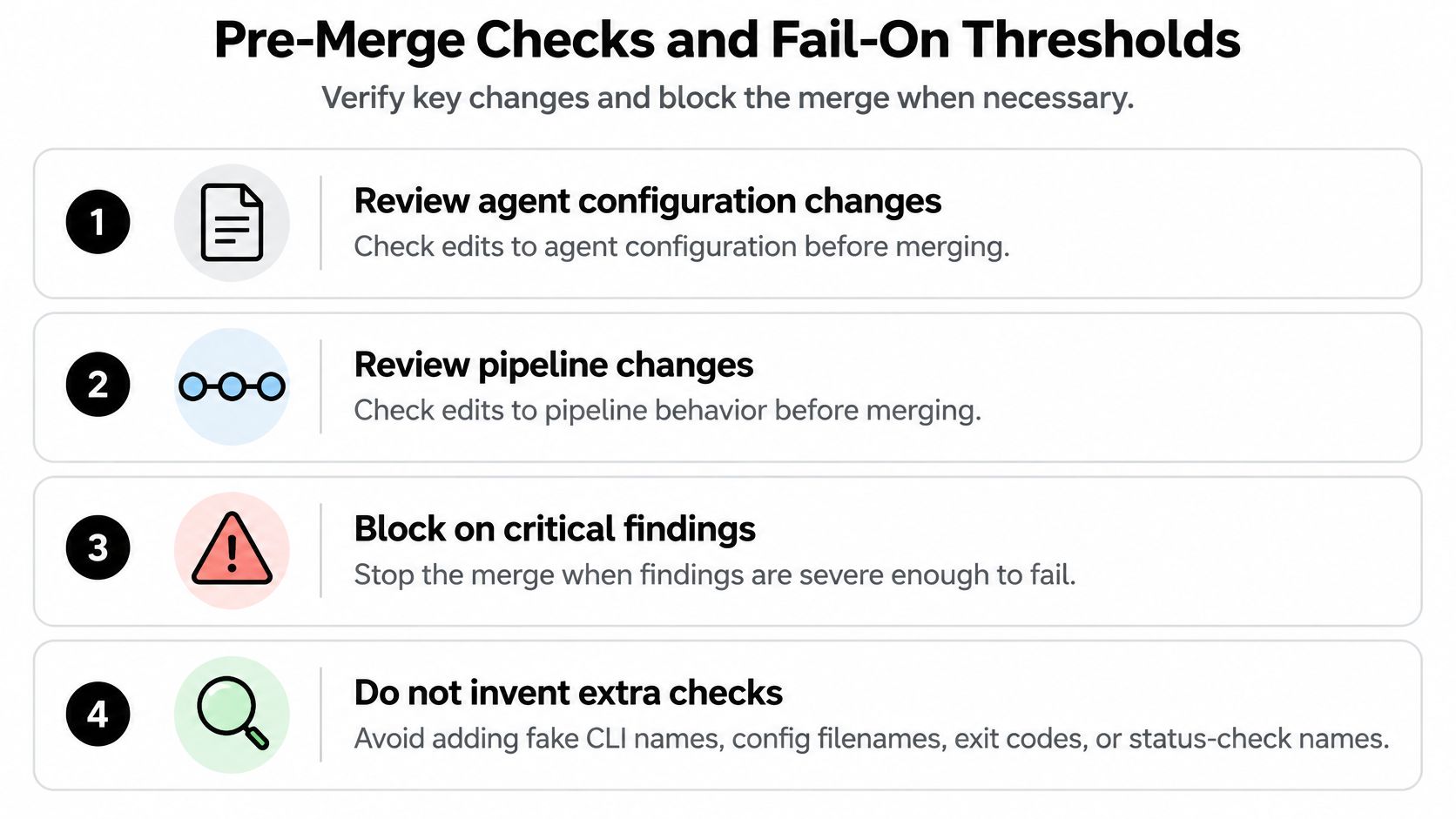
Fail the pull request on critical and high configuration findings. Report medium and low as warnings that don't block. The check should run on changes to agent configuration and pipeline files and evaluate the commit under review. An accepted finding on the approved baseline must not hide a new finding in the diff.
Verizon's 2024 Data Breach Investigations Report found that exploitation of vulnerabilities as an initial access method increased by approximately 180% year over year and represented 14% of all breaches. Organizations took an average of 55 days to remediate half of the critical vulnerabilities in CISA's Known Exploited Vulnerabilities catalog after patches became available. That evidence is about vulnerability management, not about this file. A static config finding shows policy results for the file at that commit. It doesn't show that a CVE was exploited.
Effective scan policy combines Team organization policy, a repository .fooguard.yml file, and CLI flags, with the strictest threshold taking precedence. CLI flags can tighten one run. They can't undercut organization policy. Team scans read .fooguard.yml at the commit SHA, so the policy under review is the policy that produces the check. Declaring paths, fail conditions, and a minimum grade is covered in policy as code examples.
How you respond
- Read the finding, the field, and the suggested change. Don't start by suppressing it.
- Fix the field, or record an accepted risk with an owner and an expiry outside the scanner.
- Rerun on the same commit. A later commit is a different review.
- On a test repository, require the check on a pull request that contains only the redacted synthetic file.
Merge only when the check passes, every critical and high finding is fixed or formally accepted, and each pinned version was reviewed.
| Exit code | Meaning | Effect on the CI step |
|---|---|---|
| 0 | Policy passed | Step succeeds and the merge can proceed |
| 1 | Security policy failed | Step fails and blocks the merge |
| 2 | Operational or configuration error | Step fails. Investigate before trusting any result |
Exit codes 1 and 2 both fail the pipeline step. Code 2 means you don't have a policy result yet.
A passing check doesn't certify compliance, prove package safety, or show runtime behavior.
Confirm native formats in the client's docs and in the supported-formats documentation before you assume a file shape. I would start with the fail-on-critical-and-high threshold, and leave medium findings visible so they don't vanish into a green check.
Auditing Controls and Monitoring Runtime Behavior
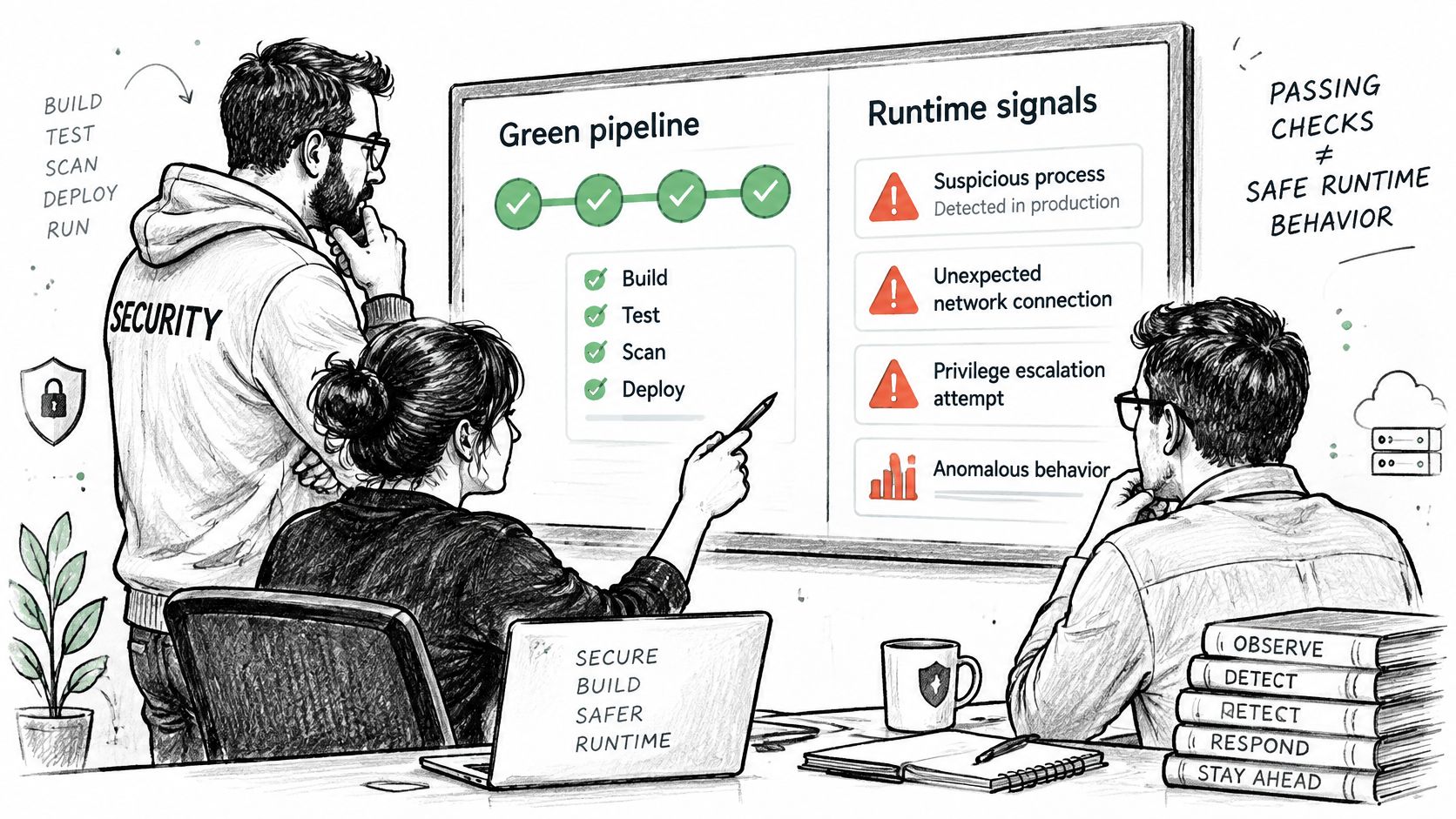
A green pipeline means the required checks passed for that commit. It doesn't mean runtime behavior is safe. DigiCert's State of Software Supply Chain Security report shows the maturity gap in plain numbers. Nearly half of organizations describe their software-supply-chain programs as established or optimizing, yet only 13% fully automate code signing. A maturity label can overstate protection.
Count signals you can get from pipeline and review data.
- Coverage: The share of agent and pipeline file changes that received a pull-request check.
- Regression: New findings against the approved baseline.
- Backlog: Unresolved high-severity findings.
- Exceptions: Each one listed by owner and expiry.
- Drift: Any difference between the approved commit and what was deployed.
Two different records
A static check shows that declared tools and permissions meet policy at a commit. Monitoring of routed requests can show request history, allowlist and argument-validation results, and blocked calls. We check configurations before deployment and offer a Gateway for controlling supported MCP requests at runtime. Enforcement applies only to traffic that passes that monitoring point. Calls that bypass it are outside the count.
More automation isn't automatically better. Automation should be deterministic, auditable, and able to stop delivery when policy is violated, rather than only adding alerts. How those two records fit a governance model is laid out in the AI agent governance framework.
Once a month, review exceptions nearing expiry, sample blocked calls, and confirm each block was investigated. Monitoring can't prove that a future agent action will stay inside policy. It can only show what already passed the point you instrumented.
Foo Guard scans AI agent and MCP configuration before deployment, with findings tied to the field and a policy threshold that can fail the pipeline step. The Gateway then watches supported MCP requests that you route through it, which is the runtime half of the review you just walked. Visit Foo Guard to run a redacted config through that static check before the next merge.