Keep Credentials Out of Committed MCP Configurations (2026)
Keep credentials out of committed MCP configurations with references, rotation and PR scans. Covers Cursor, VS Code and Claude Desktop files.
You're reviewing a pull request that adds one MCP server. The diff is small, the JSON parses, and the author says it works on their laptop. That's exactly where literal tokens slip through, because a working file doesn't look dangerous. To keep credentials out of committed MCP configurations, you need to follow each value from the file into history, the process, and the logs, and be clear about what a static scan can establish.
A Working MCP File That Leaks a Token
Say you're adding a fictional docs-search server to Cursor. The synthetic file at .cursor/mcp.json contains a top-level mcpServers object, a server named docs-search, "command": "npx", an args array with "-y" and "@example/mcp-demo@1.0.0", and an env block with "DOCS_API_TOKEN": "SYNTHETIC_ONLY_docs_token_12345". Every value here is SYNTHETIC_ONLY. Don't install @example/mcp-demo, it's a fictional package used only to show shape.
That file looks normal in review. The command is familiar, the package version is pinned, and the token sits in the field where a reviewer expects configuration. The problem is who can read it after a push. Anyone with repository access can read the current file, and the value also persists in earlier commits, forks, pull-request data, and local clones. Deleting the line in a follow-up commit doesn't remove it from history, so remediation starts with rotation, not redaction.
The Cursor MCP documentation describes the project file at .cursor/mcp.json and the global file at ~/.cursor/mcp.json, with Cursor merging both and a project-level server taking priority when names match. It also documents environment-variable references and recommends them for client IDs and secrets instead of hardcoding. Keeping the native file in its native shape matters here, you don't need to rewrite it into a vendor schema.
The One Line That Changes
After the fix, the same server keeps its command and args, but the env value becomes "${env:DOCS_API_TOKEN}". The value is set in the developer's shell or secret manager, never in the repository. Tool topology stays in Git, the secret doesn't. That's the practical split teams need when, for example, they're connecting AI assistants to shared project boards and want the connection shape reviewable without sharing the credential itself.
Practical rule: Commit the reference. Inject the value on the host that runs the server.
This example can't prove much beyond structure. It uses no real service or package, and a variable reference only shows that the file contains a reference pattern. It doesn't show that the host environment is protected, that the referenced value is rotated, or that the server behaves safely once it's running. That limit is the point. The reference is the start of the control, not evidence that the whole path is safe.
How API Tokens Differ From Other Credentials
An API token is a string a service issues so it can recognise a caller. It grants whatever scope it was created with, whether that's read-only search or full write access. Ask one question when you see any credential in an MCP file: what does this file grant if someone copies it?
Credential types compared for MCP configuration
| Credential | What it proves | Typical lifetime | Rotation trigger |
|---|---|---|---|
| API token | The caller is a known account or service | Set by the provider in its token settings | Schedule, owner change, any suspected exposure |
| API key | The project or application that owns it | Provider-defined until revoked | Schedule, shared-environment change, any exposure |
| Password | A human login | Policy-defined, interactive | Not for MCP files, replace with a scoped token |
| OAuth client secret | The application to the authorization server | Long-lived until rotated | Exposure, app ownership change |
| OAuth access token | Delegated, scoped access for a session | Short-lived | Refresh cycle, shouldn't be stored in the config |
| Private key | Signed requests or SSH identity | Until revoked | Exposure, personnel change, scheduled replacement |
Lifetimes vary by provider, so check each provider's documentation before you set an expiry or review date. Don't infer a lifetime from the string's length or prefix. A token that looks temporary can be long-lived, and a short string can still carry broad permissions.
An MCP credential is also a capability grant. It may let a tool reach a database, a filesystem, a shell, or a SaaS system, so it's both a login and a permission boundary. That's why scope matters as much as storage, a point that sits behind broader AI agent security risks beyond secrets alone.
The stakes aren't abstract. In Verizon's 2025 Data Breach Investigations Report, credential abuse accounted for 22% of breaches and remained the leading initial access vector, ahead of vulnerability exploitation at 20%. A committed token gives an attacker a credential they don't have to guess, phish, or brute-force. Treat the file accordingly, review the credential type, its scope, and its lifetime as one decision.
Where Credentials Hide in Native MCP Files
A token can hide in any field a client reads, not only in a line labelled password. Reviewers who search only for the word secret miss headers, connection strings, and command arguments. Use this table as a lookup during review.
Where credentials appear in native MCP files
| Location | Native field | Risk | Safer pattern |
|---|---|---|---|
| Cursor project or global file | env object under mcpServers | Literal token committed to Git | Reference per Cursor syntax, such as an environment variable reference |
| VS Code workspace file | env block under servers | Literal token committed to Git | Reference such as ${env:DOCS_API_TOKEN} |
| Continue config | env entries in its MCP server definition | Literal token committed to Git | Variable reference confirmed in Continue documentation |
| Claude Desktop config | env entry under mcpServers | Literal token committed to Git | Reference resolved outside the committed file per its documentation |
| Remote server | headers on a url-based server | Bearer token stored in plain text | Reference resolved by the host that connects |
| Command arguments | args array | Token visible in shell history and process listings | Pass through the environment or a secret store |
| Connection URL | url with userinfo or query parameter | Password or key embedded in the address | Remove the secret, move auth to headers or environment |
File location, root key, and variable syntax are client-specific. The VS Code MCP configuration reference uses .vscode/mcp.json with a top-level servers object and ${env:NAME} references, while other supported formats use interpolation such as ${NAME} or ${NAME:-default}. Keep each file in its native shape and confirm Continue and Claude Desktop field names and reference syntax in their own documentation before publishing examples. For the formats Foo Guard reads, see the native-format documentation.
Two Traps Reviewers Miss
- Argument trap: A token passed as a command-line flag in args can appear in shell history and process listings, so move it to the environment or a secret store even if the file itself is private.
- URL trap: A password embedded in a connection string stays in the file even when the host and path look harmless, so strip userinfo and secret query parameters.
A referenced variable must exist in the environment of the host that runs or connects to the server, including a remote host or container. A reference that resolves on a laptop can fail in CI for that simple reason. That failure is useful feedback, not a reason to paste the value back in.
References go in the file. Values stay out of it.
How to Issue, Rotate and Revoke a Token
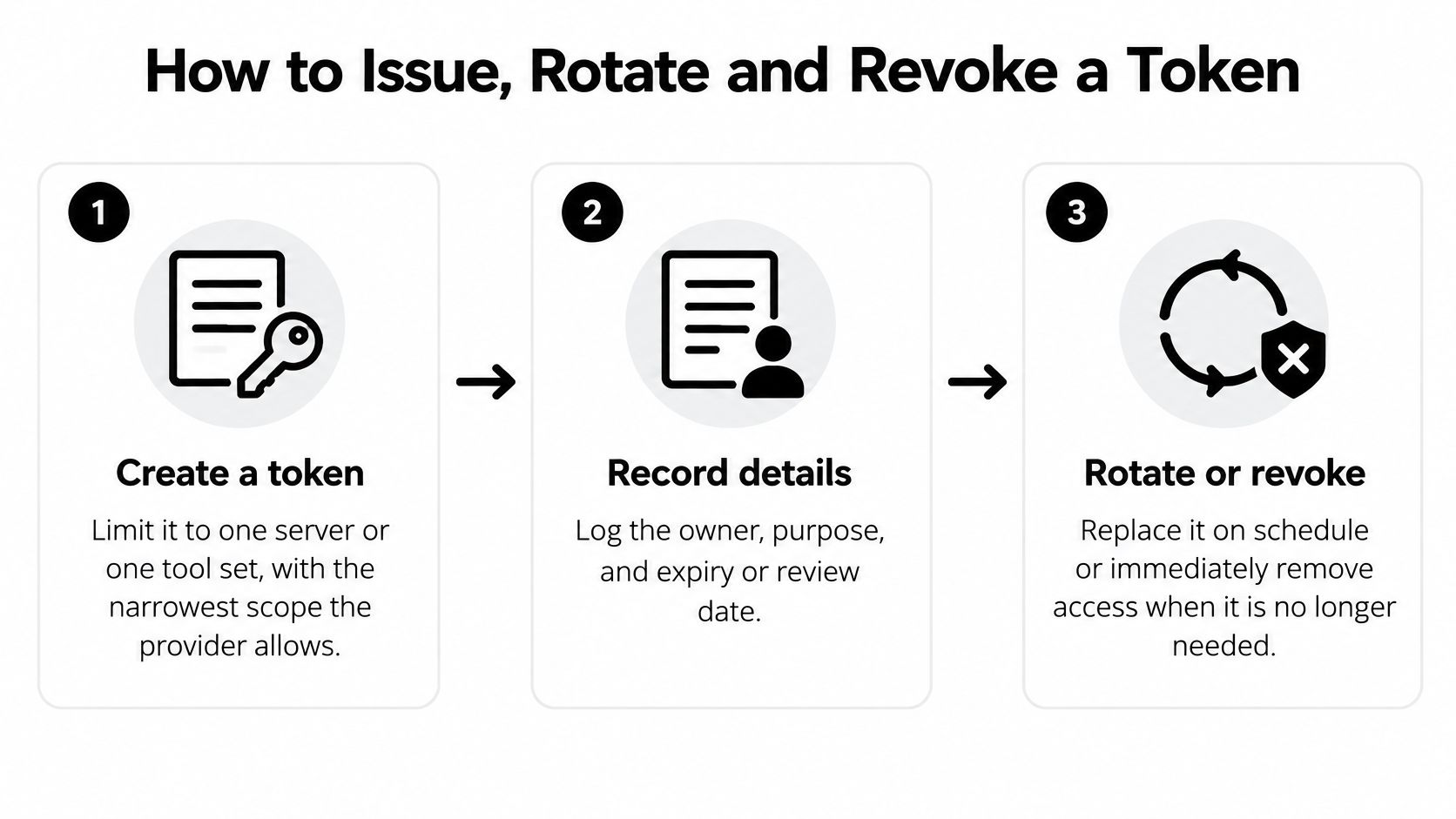
A credential-free file only helps if the replacement credential is constrained. The OWASP Secrets Management Cheat Sheet recommends short-lived credentials, regular rotation, least-privilege access, and per-application or per-instance secrets. For MCP, that means separate identities per server, narrow permissions per tool, explicit expiration, and resolving values at runtime from a managed vault rather than sharing one long-lived variable across tools.
The Procedure
- Create for one server: Issue a token for one server or one tool set, with the narrowest scope the provider allows. Don't reuse a personal token that reaches unrelated systems.
- Record it: Log the owner, purpose, and expiry or review date in your team inventory. If nobody owns it, nobody will rotate it.
- Store it outside Git: Put the value in a secret manager or the OS secret store. Don't put it in a second committed file and call that separation.
- Reference it: Point the client file at the value with the client's variable syntax. Confirm the committed diff shows a reference, not a literal.
- Restart and verify: Restart the client and confirm the server connects with the variable set. If it fails, first check that the variable exists in that process environment, not only in the shell where you typed the value.
- Rotate on schedule: Create the replacement, update the store, restart clients, verify the connection, then revoke the old token. That order avoids an outage during planned rotation.
- Respond to exposure: Revoke first, replace second, then rescan the file, its history, forks, and CI artifacts. Don't reverse that order to keep things running.
One identity per server limits blast radius because revoking one token breaks one integration, not every tool the team uses. Short lifetimes shrink the usable exposure window if a value leaks through a log or artifact. A token shared across tools makes incidents harder to scope, since you can't tell which server's access an attacker used.
Revocation has a cost you should plan for. It breaks every client still using that token, so list consumers before you revoke during planned work. During a suspected exposure, accept the breakage anyway. A working integration that an attacker can also use isn't working in any sense that matters.
How Static Scans Catch Token-Like Secrets in Pull Requests
A static scan reads the committed MCP file, not the running agent or server. That boundary defines both its value and its limit. It can catch a literal token before merge, but it can't observe what a server does with a correctly referenced value at runtime.
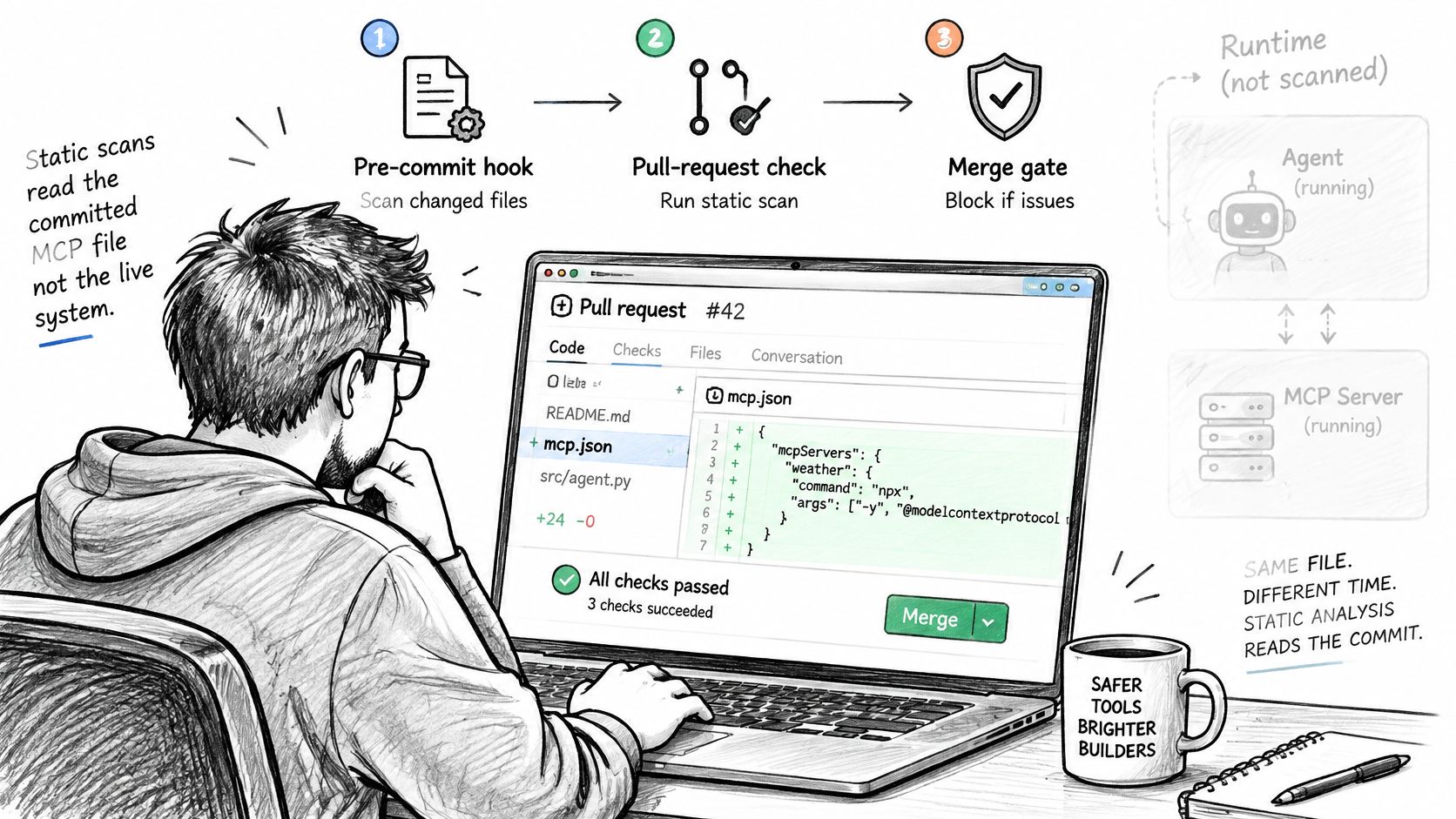
Run detection in three layers. A pre-commit hook gives the author immediate feedback before the value enters a commit. A pull-request check enforces the merge decision centrally, so it doesn't depend on each laptop's setup. A history scan inspects earlier versions of the file, because a clean current version can sit on top of an exposed earlier one.
Detection itself combines methods. Provider-style patterns catch known token formats, structural checks look at the shape and placement of a value, and entropy checks flag generic high-randomness strings that match no known pattern. You need all three, since a token with no recognisable prefix is still a token. For how findings are presented once a scan runs, see the guide on how to read an assessment.
The GitHub enforcement point is specific. Per GitHub's required status checks documentation, a required check must pass on the pull request's latest commit SHA, and a successful result from an earlier commit does not satisfy the requirement. So make the scan a required check on the protected branch, which Foo Guard supports through branch protection, and confirm the workflow triggers on pull_request. Setup details for that pattern are covered in the GitHub Actions security guide.
This short walkthrough shows the pull-request check flow in practice.
In Foo Guard, that flow uses a GitHub App check or a GitHub Action workflow, a .fooguard.yml policy with thresholds such as failOn and minGrade, and baseline comparison so reviewers see new findings instead of re-triaging old ones. The relevant rule is AG-004 Embedded Credential, listed at critical severity in the rule reference. Foo Guard detects and redacts secrets during analysis and doesn't persist credential values or raw evidence. You can see the finding shape on a sample in the synthetic native example scan.
What a Clean Scan Cannot Prove
A clean result means the committed text matched no enabled rule. It doesn't prove the server is safe, the package is trustworthy, or the environment is protected. I would treat any reviewer who reads a passing scan as runtime evidence as the actual risk in the process.
Runtime Paths a File Scan Cannot See
- Globally exported variables: A secret exported in a shell profile can be inherited by every server a client launches, not just the one that needs it.
- Debug output and request logs: Headers, command lines, and error payloads can echo a correctly injected value into files that get shared for troubleshooting.
- Tool arguments and results: A secret passed as an argument, or returned in a model-visible tool result, leaves the boundary the config file was supposed to create.
- Shared identities: One token referenced cleanly by five servers is still one token whose compromise reaches five servers.
Environment variables aren't automatically safe. They broaden process visibility, they can be captured by diagnostics, and they say nothing about scope or rotation. Passing secrets per server, using the smallest practical scope, and keeping tokens out of logs are separate controls you still need after the file is clean. The broader set is covered in the MCP security best practices guide, so I won't duplicate it here.
Ask three questions beyond the scan. Which process receives each value, and does any other process inherit it. Do logs redact headers and command lines, including error paths. Does each server have its own identity, so revocation stays narrow. If you can't answer those from the pull request, say so in the review instead of approving on the scan alone.
A pinned version is reproducible. It isn't safe by virtue of being pinned.
Package version pinning makes a dependency reproducible, not trustworthy. A pinned version can still be malicious or vulnerable, so review the package on its own terms. The same separation applies at runtime. Foo Guard's Hosted Gateway can route supported MCP requests and display allowed, flagged, and blocked activity, and Team Enforcement can block requests that violate team policy, but traffic that bypasses the Gateway is outside its coverage.
Keep static and runtime findings in separate review notes, labelled by source. That one habit stops a passing file scan from turning into a claim about observed behavior.
Confirm the Config Passes Before You Merge
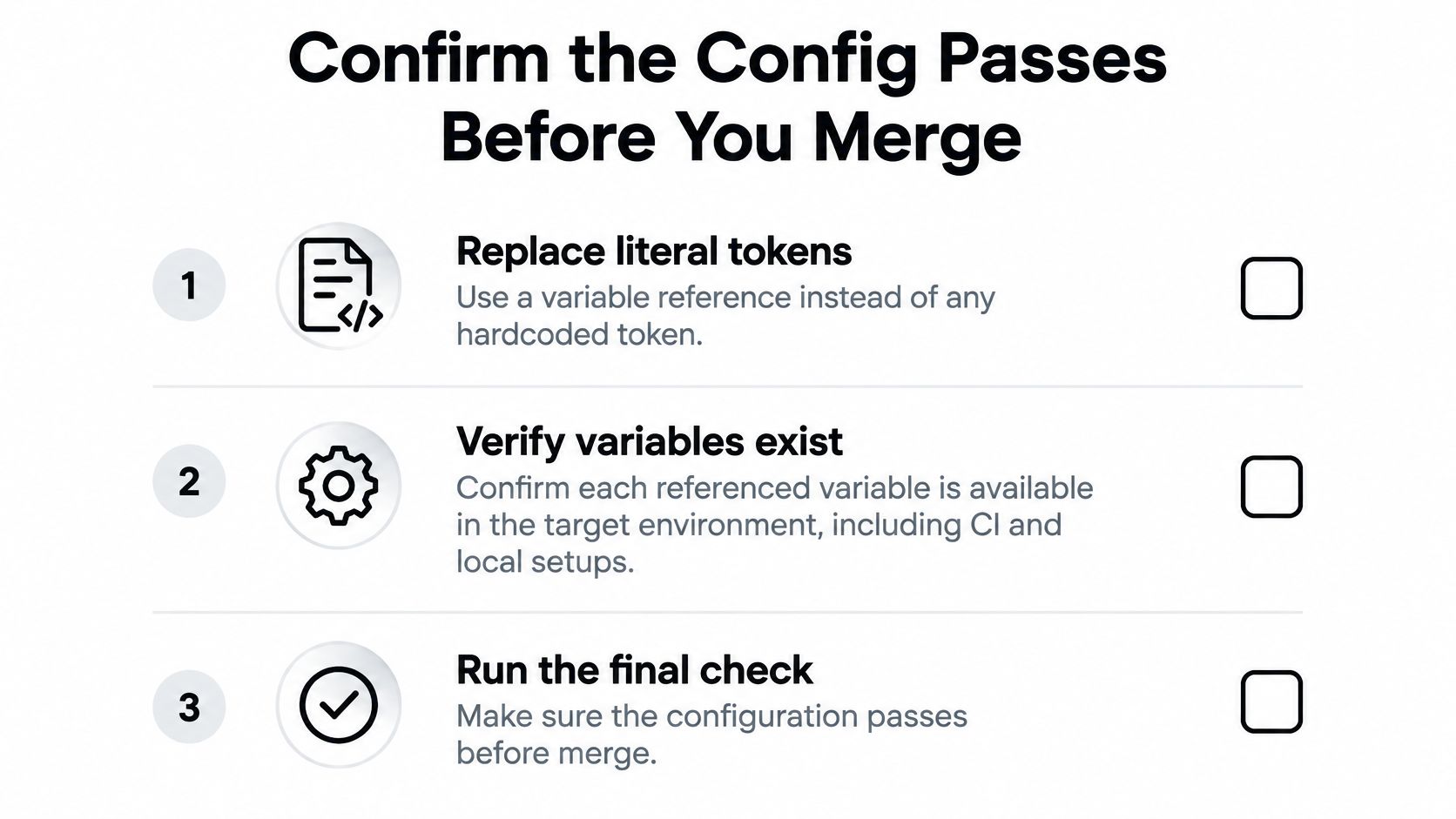
Run this checklist on the final commit, not on an earlier version you already reviewed.
- Replace literal tokens: Swap every literal value for a variable reference, and pin each package version in args. The pin makes the dependency reproducible, it doesn't establish that the package is safe.
- Verify variables exist: Confirm each referenced variable exists in the target environment, including CI and remote hosts, not only on the developer's laptop.
- Check scope and expiry: Confirm each token is scoped to one server and has an expiry or review date recorded.
- Rescan and compare: Scan the revised configuration and compare findings with the previous scan to confirm the relevant issue is resolved.
- Confirm the check: Verify the required check ran and passed on the latest commit SHA, since an earlier pass doesn't count.
- Share redacted copies only: If you need a second opinion, use a redacted copy with live keys, tokens, and passwords replaced by placeholders, never the raw file.
Support requests follow the same rule. Don't send live API keys, tokens, passwords, or raw configuration files that may contain secrets. If you want to see expected findings first, the synthetic native example scan shows them on a sample file with no real credentials involved.
A passing check is one control among several. It's not a guarantee of safety and it's not a framework certification.
If you're reviewing native Cursor, Claude Desktop, VS Code, or Continue files in pull requests, Foo Guard scans those configurations before deployment, flags embedded credentials like AG-004 against your policy, and redacts secret-like values during analysis. Run the synthetic native example, compare findings after your fix, and make the check required so the next literal token stops at the pull request instead of landing in history.