Principle of Least Privilege for AI Agent Configs
Learn how the principle of least privilege applies to AI agent configs: scope shell, file, network and credential access, then check it in pull requests.
You've copied an MCP example from a README, pasted it into your project, and it works. The agent can read files, run commands, and call an API. What you haven't checked is how much further that same file lets it go, and that's usually where a review gets uncomfortable.
What Least Privilege Means in Plain Terms
A housekeeper's key card opens the rooms on the floors she is cleaning. It does not open the manager's office or the safe. If the card is lost, the person who finds it still has limited access.
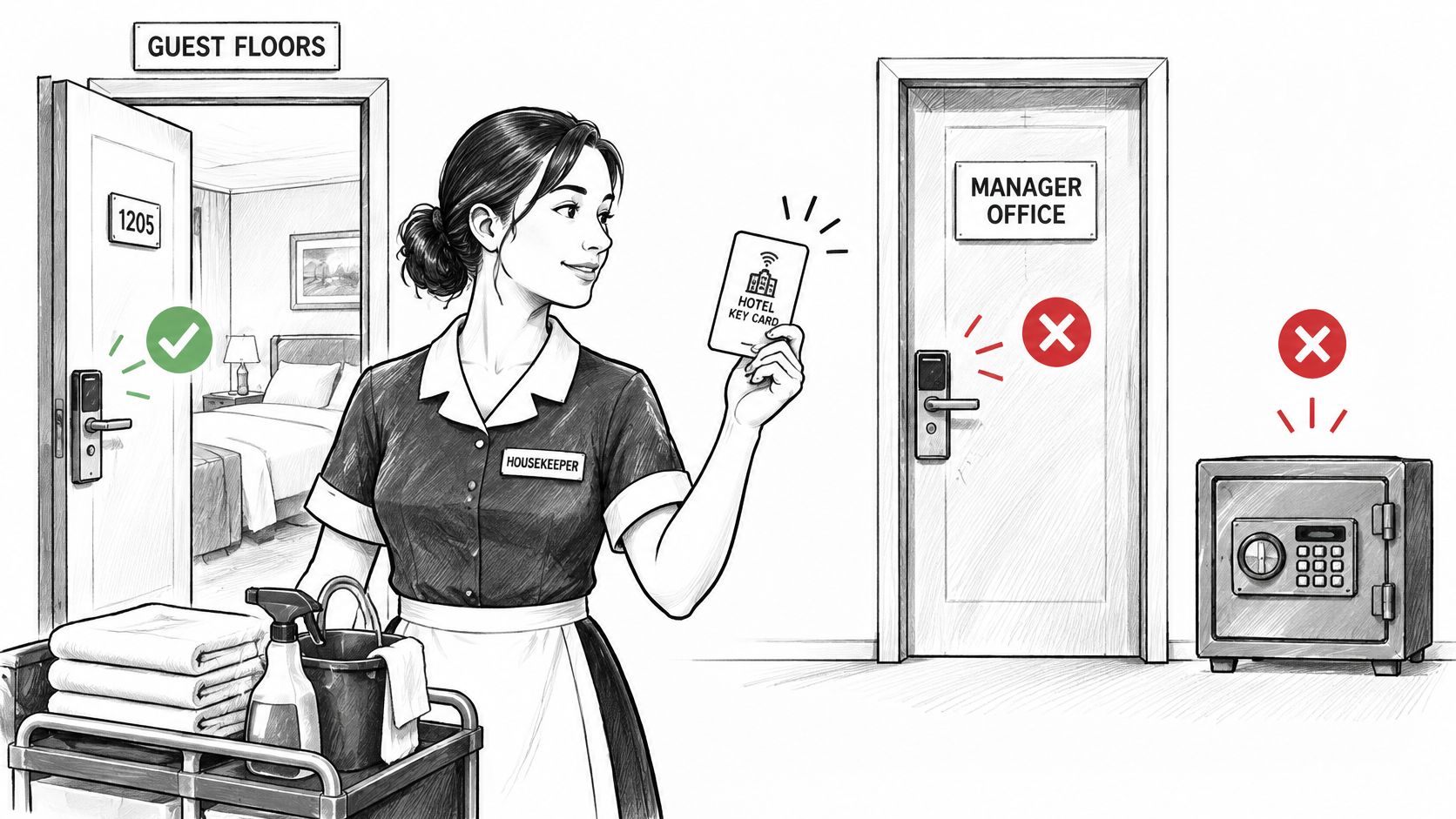
That is the principle of least privilege: give each user or process the minimum authority required for its assigned task.
Where the Idea Came From
Jerome H. Saltzer and Michael D. Schroeder described least privilege in 1975 as one of eight design principles for operating-system security, as the GIAC paper on implementing least privilege in the enterprise recounts. Their principle calls for programs and users to have only the privileges needed to do their jobs, limiting the reach of one user's actions into another's.
The U.S. Department of Defense and NIST later adopted least privilege in their computer security criteria and guidance. The shared aim is to limit the access available for authorized tasks and reduce the harm caused by errors, accidents, or unauthorized use.
Working test: minimum effective authority for a bounded task.
The test is about fit, not permission count. A release engineer or deployment process may need broad access to perform its assigned duties. That access should stop where those duties stop.
For an AI agent, review the configuration as several separate principals: the identity making a request, the tools it can invoke, and the credentials or permissions those tools use. A static file can show declared access and risky settings. It cannot prove which requests will be authorized at runtime. For broader security guidance for operational AI teams, keep those limits in view alongside the file-level review.
Least-Privilege Settings for Each Capability
Use this table as the first pass on any agent or MCP config.
| Capability | Broad default | Least-privilege target | Static check flags |
|---|---|---|---|
| Filesystem | Home directory or drive root | Project folder, named subdirectories only | Root path, tilde path or wildcard path |
| Shell or command | Shell interpreter or unrestricted commands | One named binary with fixed arguments | Shell interpreter or wildcard arguments |
| Network | Unrestricted outbound traffic | Named host list | No host list or open bind address |
| Database | Owner or admin role on the whole database | Read-only role on one schema | Admin or owner role name |
| Credentials | Literal token value in the file | Environment reference with short expiry | Secret-like literal value |
| Remote OAuth scopes | Account-wide scopes | Named scopes for one task | Wildcard or admin scope |
| Package source | Floating tag or latest version | Exact version pin | Missing version or floating tag |
| Write and delete tools | Enabled by default | Disabled until an approval step exists | Write or destructive tool without approval |
The Rows That Cause Most Findings
Filesystem is the easiest to get wrong because examples often point at a home directory so the demo works anywhere. A docs tool only needs ./docs. Anything above the project folder needs a reason you can write down.
Shell is the most dangerous row. A named binary with fixed arguments, such as a test runner, is reviewable. An interpreter with free-form arguments lets the agent compose commands you never saw. I would treat any unrestricted shell as a blocker until someone narrows it.
Database and network fail in the same way. An owner role on the whole database is convenient during development, but a reporting task needs a read-only role on one schema. Open outbound traffic has the same shape. Name the hosts, or accept that you can't say where data can go.
Credentials and OAuth scopes are where convenience hides. A literal token in the file ends up in git history. An account-wide scope survives because nobody revisits it after the integration works. Both should be replaced with an environment reference, short expiry where the provider allows it, and scopes named for one task.
How to Read a Failing Row
A failing row isn't proof of compromise. It's a question that needs an answer.
- Who needs it: Which server or tool uses this access?
- For which task: What job breaks if you remove it?
- For how long: Is it standing access, or does it expire?
If nobody can answer those three, the grant is too broad. Every row here describes what the file declares. Whether the launched command behaves as declared is a different question, covered later.
Reviewing a Synthetic Cursor Config Line by Line
A developer needs an agent to search internal documentation and answer questions. The task is narrow: read files under ./docs, with no access to other project files.
Cursor reads MCP configuration in its native JSON format. Its MCP documentation identifies .cursor/mcp.json as the project configuration file and ~/.cursor/mcp.json as the user-level file for tools available across projects. Each server entry under mcpServers can declare fields such as command, args, and env.
Use the project file for a project-specific docs reader. A user-level entry makes the tool available across projects, which grants it a broader scope than this task requires.
Here is a synthetic example. The package synthetic-docs-reader is fictional. Do not install it or run it with npx.
{
  "mcpServers": {
    "docs": {
      "command": "npx",
      "args": ["-y", "synthetic-docs-reader@1.4.2", "--root", "./docs"],
      "env": {
        "DOCS_TOKEN": "${env:DOCS_TOKEN}"
      }
    }
  }
}
What Each Line Declares
mcpServers and docs identify one server entry. Review what that process can do, rather than treating the file as a single, undifferentiated grant.
command and args specify a package version and set its root to ./docs. The version pin makes the intended package version explicit; the root argument matches the task's file scope.
env references DOCS_TOKEN from the environment instead of placing its value in the file. Before pasting or uploading a configuration, use a redacted copy and replace live credentials and tokens with placeholders.
Compare that with a configuration that points --root at a drive root, omits the package version, and embeds a literal token. The declared file scope is broader, the package version is unspecified, and the credential is exposed in the configuration. A static review can identify those declarations, but it cannot establish how a launched process behaves at runtime.
Cursor's Native File Locations
| Client | Project file | User or global file | Top-level key |
|---|---|---|---|
| Cursor | .cursor/mcp.json | ~/.cursor/mcp.json | mcpServers |
Cursor's documentation describes these project and user-level paths and the mcpServers key. The location matters: a project configuration applies within that project, while a user-level configuration makes the server available across projects.
Why an AI Agent Is Several Principals
Who is acting when your agent calls a tool? Most configs hide that answer, because one file can hold several identities at once.
The diagram below breaks one configuration into the identities a reviewer has to separate.
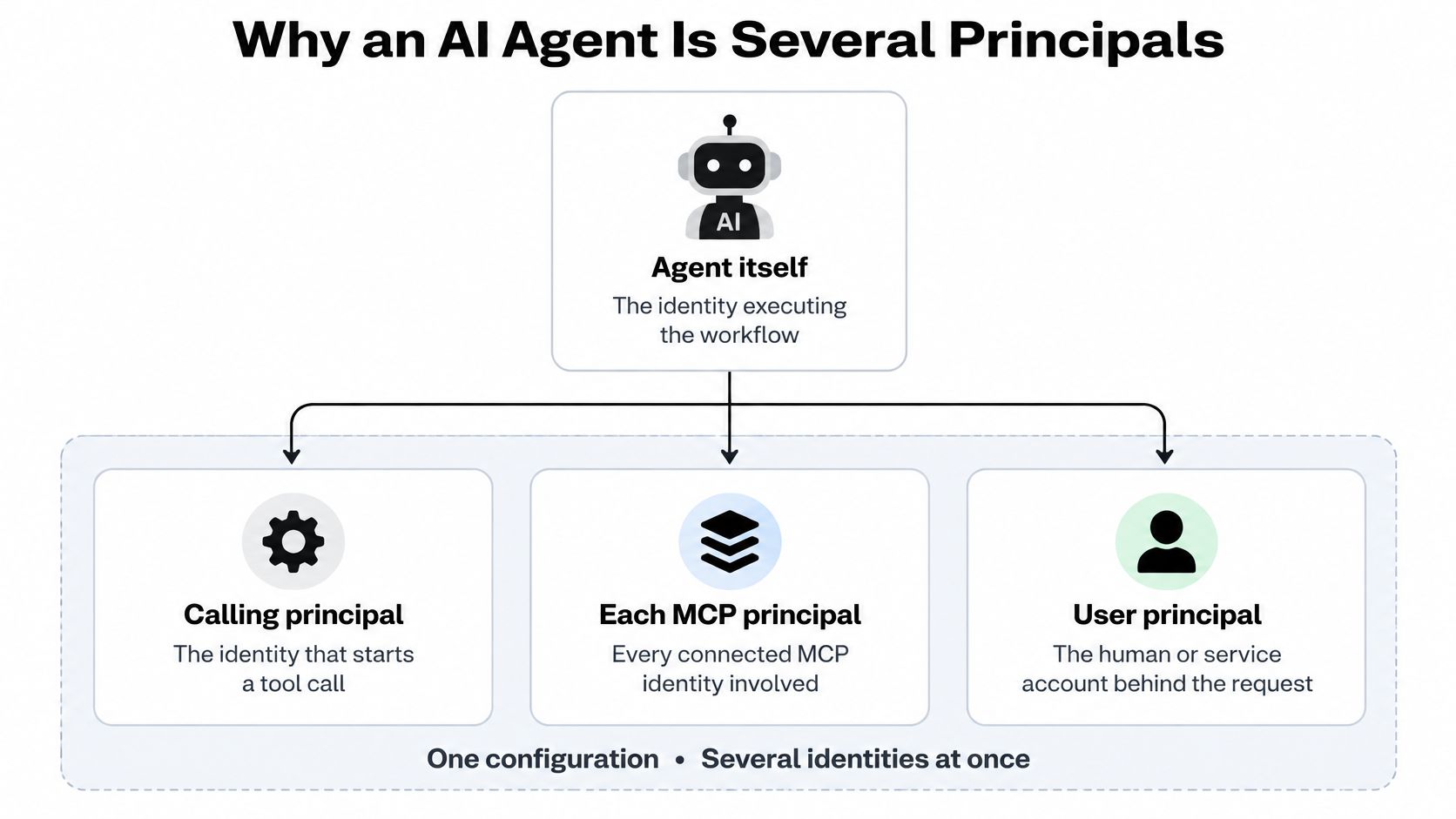
There's the agent itself, the calling principal that starts a tool call, each MCP server process launched from the file, and the credentials each server reads from its environment. Those aren't one trusted actor. They're separate execution paths with separate reach.
NIST SP 800-53 Rev. 5 control AC-6 makes the same point for systems generally. It requires restricting both users and processes acting on their behalf to only the accesses necessary for assigned tasks, and it recommends separate processes, roles, and accounts when that separation reduces privilege.
A Two-Server Example
Say one agent file holds a docs-search server and a deploy server. Give the docs server read-only access to one repository. Give deployment a dedicated role that only the release path can use, separated from routine diagnostic tools.
Now suppose the docs server is compromised. The attacker inherits read-only access to one repository. That's bad, but it's bounded. She doesn't get the deployment role, because that permission never sat on the docs execution path.
The short video below walks through the same separation visually, before we turn it into a review rule.
The review consequence is straightforward. Evaluate each tool definition and each execution identity on its own. Don't approve the agent as a whole and let every server inside it inherit that approval.
For every entry in the file, ask which identity runs it, what resource it reaches, and whether that reach is needed for its task.
If two servers share a credential, they aren't really separated, however tidy the file looks. Separate credentials are what make the separation real.
Per-Request Authorization Beyond Static Roles
A grant written into a config file at setup time tends to outlive the task it served. The role stays, the token stays, and runtime requests drift away from what the file suggested. Static roles can't catch that.
CISA's hybrid identity solutions guidance describes zero-trust access as limiting access to resources needed on a just-in-time basis, with users or devices strictly identified and verified for each request. Applied to agents, the same idea breaks into four controls.
Four Controls Per Request
- Authenticate: Identify the agent and the calling principal before anything runs.
- Authorize: Check the specific tool and its actual arguments, not just the tool's name.
- Constrain: Bind the call to a target resource and operation.
- Record: Log the decision so you can audit it and revoke access later.
A concrete pattern helps. An agent may query production metrics, but it's denied arbitrary SQL, shell execution, credential retrieval, and writes. If an incident needs one write, a temporary approval lifts that single narrowly defined action, then expires on its own.
The mechanisms are familiar ones. Deny-by-default rules, explicit allowlists, argument validation, exceptions with expiry dates, and immediate agent blocking when something looks wrong. If you haven't separated static review from runtime enforcement yet, this explainer on what an MCP gateway does covers where that enforcement point sits.
Where Enforcement Actually Happens
Our Gateway is one way to apply these checks at runtime. It checks supported MCP requests routed through it, starting with a connection, then reviewing policy behavior and request history.
That boundary matters. The Gateway covers only traffic routed through it. A static review, by contrast, never observes a live request at all. Treating either one as if it did the other's job leaves a gap you'll only notice during an incident.
Credentials, Package Pins and What a Scan Cannot Prove
Two habits cause most of the false confidence I see in config reviews. Both look careful. Neither proves what people think it proves.
Credentials Belong Outside the File
Reference secrets from the environment, use the narrowest scope the provider offers, and set short expiry where you can. A literal token in a committed file is already exposed, whatever your scanner says about the rest of the config.
We detect and redact secrets during analysis and don't persist credential values or raw evidence. That protects the scan, not your repository. Remove live values before sharing a file, and follow the detailed guidance on keeping credentials out of committed MCP configurations if a token has already landed in git history.
Pinning Is Reproducibility, Not Safety
An exact version pin means a rebuild fetches the same version. That's valuable. It does not establish that the package is safe, and it doesn't validate what the server's code does.
Continue's MCP documentation shows native files under .continue/mcpServers, and those files can reference executables just like Cursor's. The file reveals the declared command and arguments. It can't establish that the executable is safe, that the server honors its description, or that the agent won't call a tool outside an observed context.
What a static read supports
- Declared commands and arguments: what the file says will launch.
- Environment variable names: which credentials a server expects, not their values.
- URLs, scopes, and pins: where it connects and which version it requests.
What it cannot show
- Runtime behavior: what the server does after launch.
- Package trust: whether the referenced code is safe.
- Invocation patterns and data flows: what gets called and where data goes.
Watch for the pitfalls that pass a file read cleanly. An exact pin treated as proof of safety. A wildcard or admin scope waved through because it's documented. An exception with no expiry date. A config that stays unchanged while the package it references changes version. A secret moved into an env file that then gets committed.
A clean scan doesn't guarantee safety, and it doesn't certify compliance with any framework.
Add the Least-Privilege Check to Every Pull Request
A least-privilege review can go stale as soon as a configuration changes. Run the check on each pull request and tie its result to the latest commit.
GitHub's troubleshooting guide for required status checks explains that checks from earlier commits do not satisfy a requirement for the latest commit. Successful conclusions include success, skipped, and neutral, and a required check must have completed successfully within the preceding seven days. Configure the workflow to run on pull-request events and publish its result against the pull request's latest commit SHA.
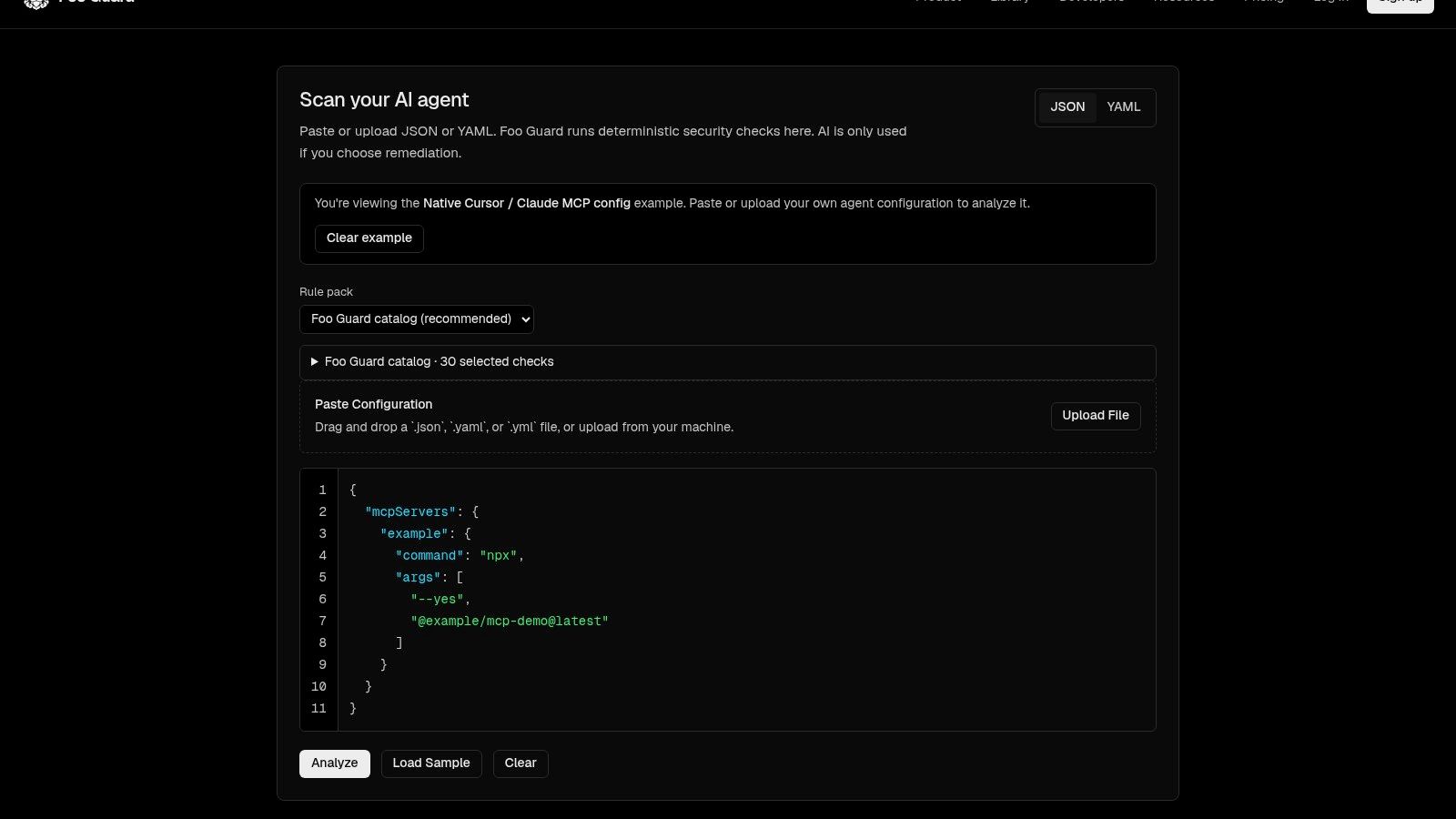
The screenshot shows how scan findings appear before you connect a repository.
Set the Policy, Then Wire the Gate
Policy as code lets teams specify scan paths, fail conditions, and a minimum grade in .fooguard.yml. Foo Guard combines the repository file with Team organization policy, CLI flags, and the product default of failOn: high, applying the strictest threshold. For example, if the organization requires failOn: high and the repository sets failOn: medium, the stricter medium threshold applies. See policy-as-code examples for sample files.
- Add the policy file: Put
.fooguard.ymlat the repository root and set scan paths, afailOnthreshold, and a minimum grade. - Run from the repository root: This keeps file paths aligned with the checkout.
- Require the check: Mark it as required in branch protection so a configuration that fails policy cannot merge.
- Test it: Open a pull request with the synthetic configuration and confirm the check runs against the new commit.
- Read the result correctly: Policy Failed means the scan completed, but the repository did not meet the effective policy thresholds. Findings and scores remain available for remediation.
Start with a pull request that changes an agent configuration. Compare the proposed settings with the earlier review, then run the synthetic configuration scan to see how findings are presented. Check the supported configuration formats before setting scan paths.
Foo Guard scans JSON and YAML agent configurations and MCP-style tool definitions before deployment. It flags risky permissions and settings, including broad filesystem, shell, network, database, and credential access, against the policy you set. Static findings show what the configuration declares; they cannot establish what a tool does at runtime. Use the check on every pull request so reviewers can assess each change before merge. Start at Foo Guard.