What Is Model Context Protocol for Config Review
What is Model Context Protocol, how hosts, clients, and servers split tools from data, and how to review native agent configs before deployment.
The Model Context Protocol is an open client-server standard that lets an AI application discover resources, prompts, and tools on separate servers, and it does not by itself secure those tools.
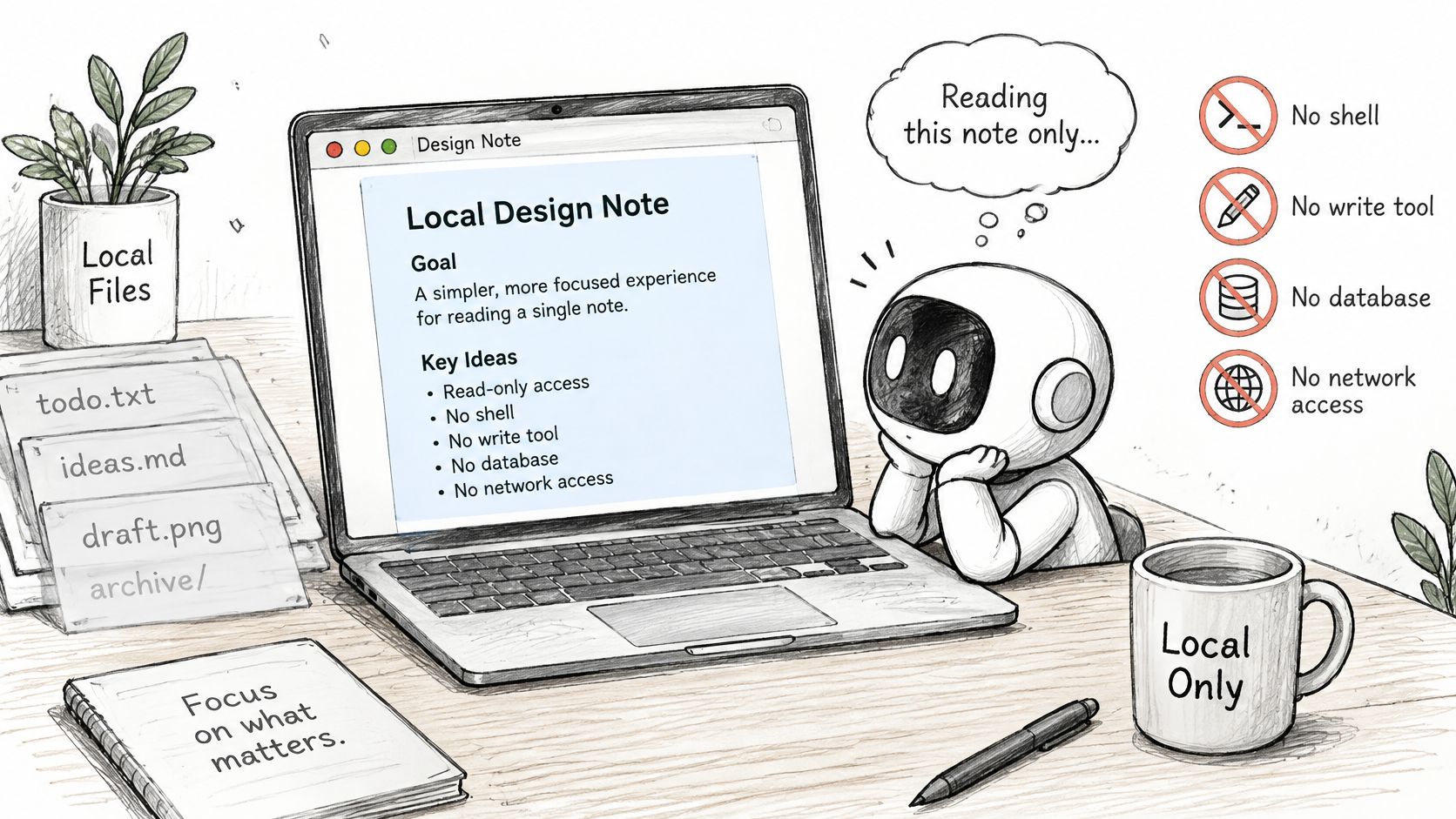
You're reviewing a pull request that adds an MCP server so an agent can summarize a local design note. The task sounds narrow, but the file might start a package with your user account, inherit credentials, and expose more than the note. Your job is to separate what the configuration requests from what the running process can do.
What Model Context Protocol Is and Is Not
MCP gives AI applications a shared interface for reaching external systems. Instead of building a different integration into every application, developers can expose context and operations through an MCP server. The application connects through an MCP client.
The MCP architecture specification describes a JSON-RPC 2.0 protocol with a host-client-server architecture: the host manages clients, each client connects to exactly one server, and servers expose resources, prompts, and tools. Clients and servers negotiate capabilities so neither side has to assume the other supports every feature.
MCP roles and the three server primitives
| Part | What it is | Review boundary |
|---|---|---|
| Host | LLM application that can run several clients | Chooses consent and which servers connect |
| Client | One connection to exactly one server | Negotiates capabilities for that server only |
| Server | Process exposing context and operations | Holds the data or the side effect |
| Resources | Data read into model context | Sensitivity and breadth of exposed data |
| Prompts | Reusable interaction templates | Whether a template steers the model toward tools |
| Tools | Executable operations | Side effects such as files, APIs, or databases |
These distinctions matter when you open an agent configuration. A server entry usually describes a connection or a process to launch. It isn't necessarily a complete inventory of the resources, prompts, or tools that the server will advertise after connection.
Context and operations aren't interchangeable
A resource supplies information. For the design-note task, that could be the note's contents. Review whether the application receives only the relevant document or an unnecessarily broad collection of internal material.
A prompt supplies a reusable interaction template. A template that asks the model to summarize a note is different from one that directs it to fetch credentials, query another service, and publish the result. Review the intended workflow, not just the template's friendly name.
A tool performs an operation. Reading a file, querying a database, and sending an API request can all be tool operations, but their consequences differ. A tool called read_note deserves scrutiny of its arguments and implementation, not automatic approval because its name includes “read.”
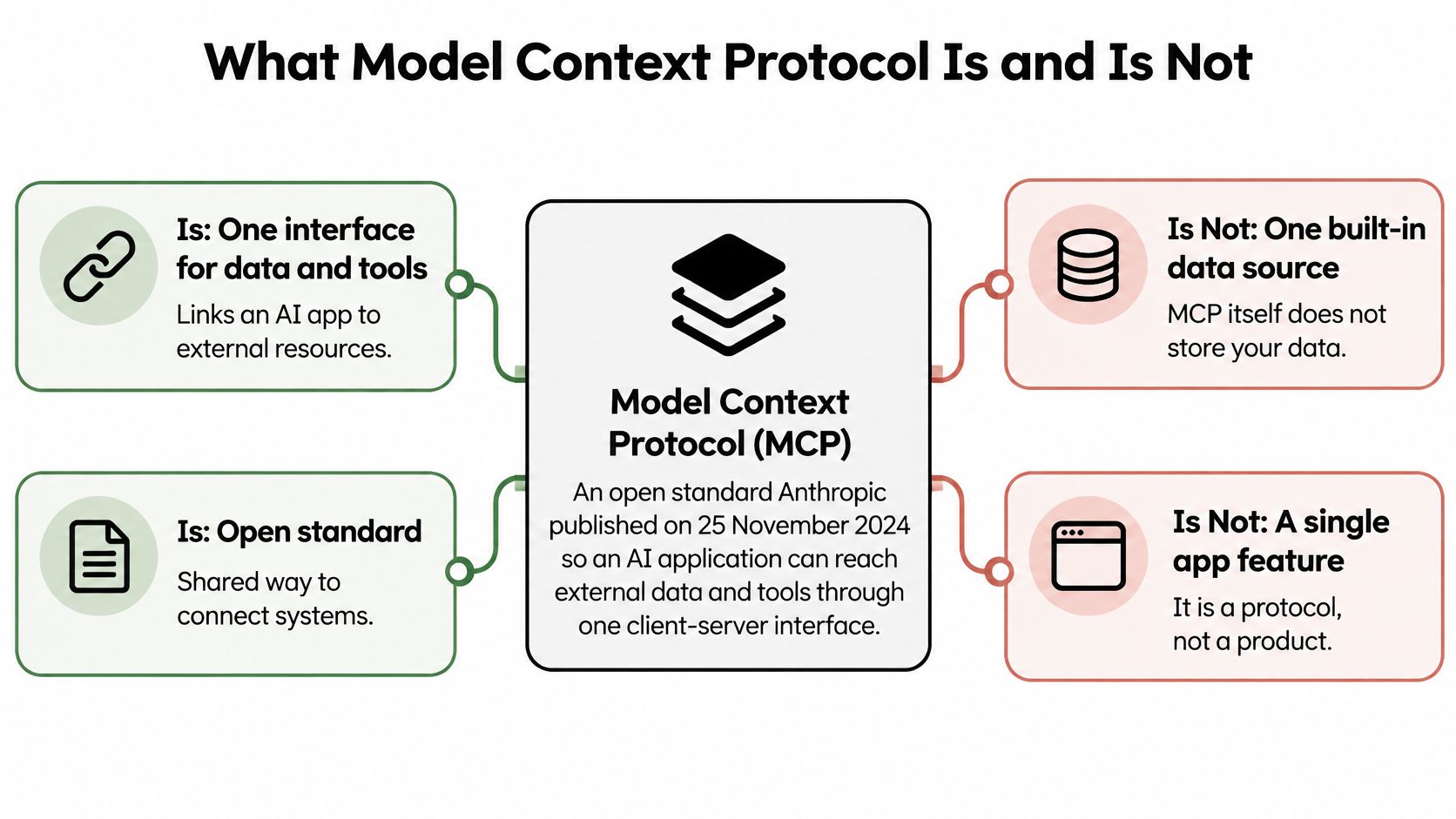
MCP itself isn't a built-in document store. The information lives in the systems connected through servers, and the operations run in those servers or their downstream services. It also isn't a single application feature, even when you encounter it through an editor's settings screen.
For an additional conceptual explanation before reviewing implementation details, the Clearcote Labs guide to MCP is a useful companion. Keep the protocol's roles separate from the particular host's configuration vocabulary.
Authentication doesn't establish tool safety
Does MCP secure the tools it connects to? No. The MCP specification's security and trust guidance places responsibility for consent, authorization, privacy, and security on hosts and implementers; the protocol doesn't guarantee that a connected tool is trustworthy or appropriately privileged.
Authentication answers whether a caller can establish an authorized connection. It doesn't answer whether the available tool should exist, whether its credentials are too broad, or whether an autonomous agent should invoke it without confirmation.
Consider a server that advertises a document reader alongside a shell tool. The reader may be suitable for summarizing a note, but the shell adds a different class of authority. Approving the document task shouldn't automatically approve everything else exposed through the same connection.
Review boundary: Approve the capability needed for the task, not the entire server merely because it speaks MCP.
Read the surrounding configuration as a combination of authorities:
- Data exposure: Which files, repositories, records, or resources can enter model context?
- Executable operations: Which tools can change files, call services, or query databases?
- Identity: Which local account or delegated credential supplies authority?
- Autonomy: Who decides whether an operation requires confirmation?
A harmless-looking description can become consequential when paired with broad filesystem access or a powerful service account. Conversely, a narrow description doesn't reduce the operating-system permissions of the process that implements it.
The practical answer to “what is Model Context Protocol?” is therefore an interoperability boundary you can inspect. Review the host's connection settings, the server's declared interface, and the underlying enforcement separately. None substitutes for the others.
A Read Only Task in Native Client Files
The task is specific: summarize /synthetic/design-note/overview.md without changing it. A complete synthetic server entry might look like this, using the fictional package @example/mcp-demo:
{
  "mcpServers": {
    "design-note": {
      "command": "npx",
      "args": [
        "@example/mcp-demo@1.4.2",
        "--read-only-root",
        "/synthetic/design-note"
      ],
      "env": {
        "DESIGN_NOTE_TOKEN": "${DESIGN_NOTE_TOKEN}"
      }
    }
  }
}
Do not install @example/mcp-demo. The package, version, path, and command-line option are synthetic teaching material, not a working integration. Pinning the invented version 1.4.2 fixes the version string in this example; it doesn't establish that a package is safe, reviewed, or free of a compromised release.
The entry requests a narrow root and contains no additional shell, write, database, or network tool declaration. Those are reviewable intentions, not proof that the launched process would enforce them. A directory containing only the relevant note is preferable to granting access to an entire working repository.
Open the host's own configuration
Review the file the developer will use:
- Cursor: Inspect its
mcp.jsonserver configuration. - Claude Desktop: Inspect
claude_desktop_config.json. - VS Code: Inspect its
mcp.jsonconfiguration. - Continue: Inspect the MCP server block in its configuration.
These are review locations, not a scanner acceptance list. Don't copy the example's wrapper into every client and assume the schemas or variable-substitution rules are identical.
An environment placeholder also isn't a universal interpolation syntax. Confirm how the particular host resolves environment values, then verify that the server receives the intended value without committing the credential. For a purely local note reader, first ask whether a token is necessary at all.
Preserve native context during review
There's no reason to assume a native client file must be rewritten into a Foo Guard schema merely to understand its security implications. Keep the original field paths and surrounding settings visible so a reviewer can connect a finding to the configuration the host consumes.
For scanner submission, consult the native-format documentation to confirm the exact supported shape. Without confirmation from that documentation, don't infer acceptance from a filename, JSON syntax, or the presence of an mcpServers key.
Claude Desktop is a natural place to encounter this pattern: the MCP launch announcement introduced the standard on November 25, 2024, named David Soria Parra and Justin Spahr-Summers as its creators, and included the specification, software development kits, local Claude Desktop server support, and open-source example servers.
The example establishes what a reviewer should ask for. It doesn't establish whether a real server rejects writes, stays inside the declared directory, or avoids outbound connections.
How a Single Tool Call Moves Through MCP
Follow a hypothetical read_note call from the application to the server. The important distinction is between the model proposing an operation and software executing it.
The host establishes the connection. It starts a client for the configured server and opens JSON-RPC communication. A local deployment may involve launching a child process; a remote deployment connects to an existing service.
Client and server initialize the connection, exchanging protocol-version information and declared capabilities. Review what each side says it supports rather than treating connection success as permission to use every possible feature.
The client requests the tool list. The server returns tool metadata, including names and descriptions. A reviewer should examine both the advertised purpose and the argument schema.
The model proposes
read_notewith arguments identifying the document. The host decides whether the call needs user confirmation and whether its policy permits the operation.The client sends the call to the server. The server performs the operation under its effective identity. Any filesystem access, downstream API request, or database query happens outside the model.
The server returns a result. The host may place that result into model context so the model can produce the summary.
Put controls at the right points
Mark capability negotiation, the consent decision, and server execution as separate control points. A static review can inspect configuration declarations relevant to those points, but it can't discover an unrecorded live tool list or observe an actual confirmation dialog.
For runtime routing, the guide to what an MCP gateway does explains a separate enforcement boundary. For operational measurement, tracking agent workflow costs with Loupe provides complementary observability context.
Request traces can help establish which calls occurred. They still need to be interpreted alongside server-side effects and the identity that authorized them.
How STDIO and HTTP Change Credential Review
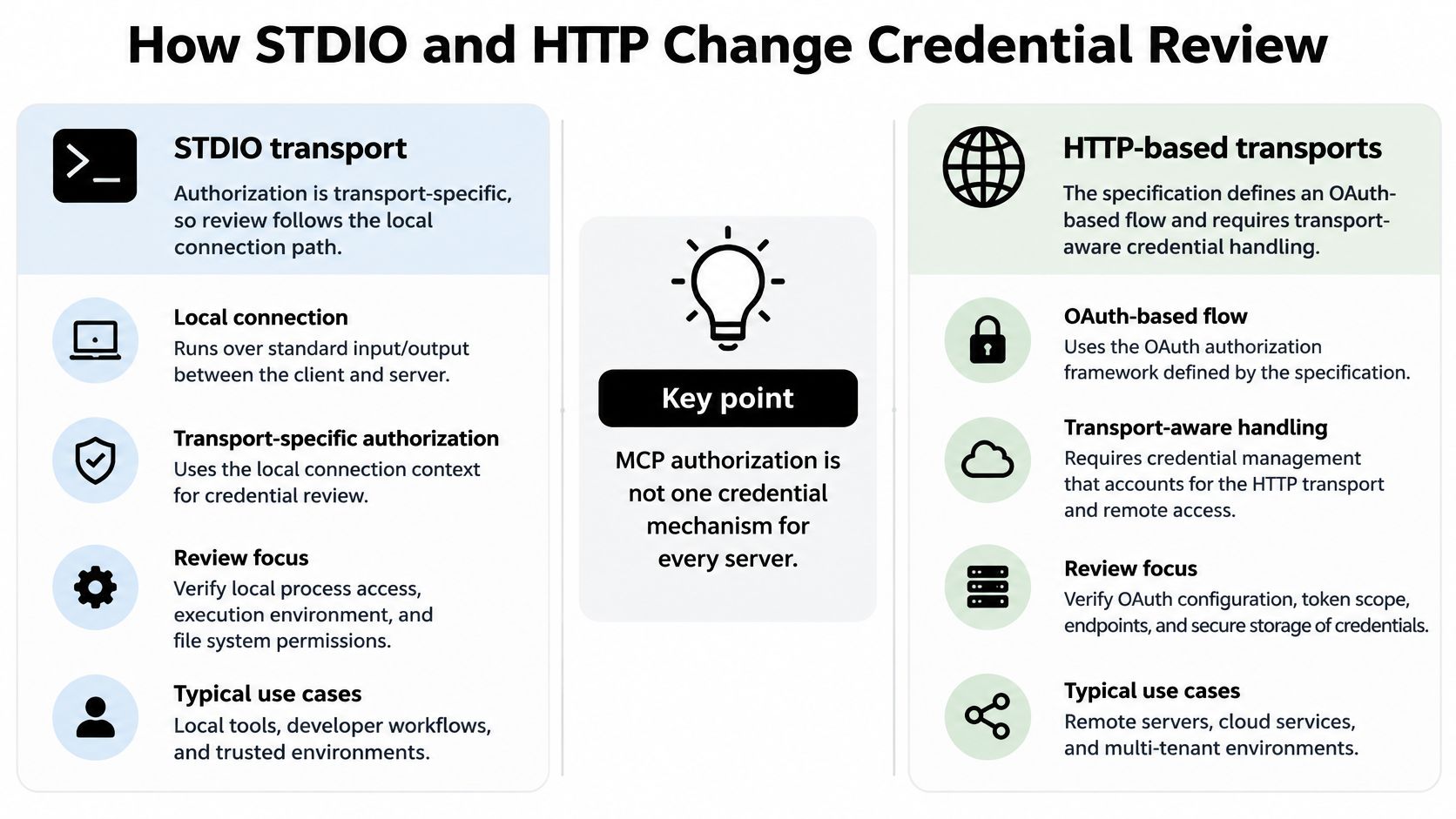
Review credentials according to the transport. A local child process and a remote service don't inherit authority in the same way, so they shouldn't share a single authentication checklist.
The MCP authorization specification defines an OAuth-based flow for HTTP transports, requires authorization-server endpoints to use HTTPS, and references OAuth 2.1, authorization-server metadata, dynamic client registration, and protected-resource metadata. It distinguishes that flow from STDIO deployments, which generally obtain credentials from the environment instead.
Credential controls by MCP transport
| Transport | Credential source | What to review |
|---|---|---|
| STDIO | Environment of the local process | Process identity, environment exposure, filesystem permissions, parent-process trust |
| HTTP | OAuth-style delegated access over HTTPS | TLS, redirect URIs, token storage, expiration, rotation, delegated scopes |
For STDIO, identify the account that launches the server. A restricted argument doesn't remove the account's existing filesystem privileges, and a placeholder doesn't show which environment variables the child process inherits.
Check whether debugging output includes environment values, whether child processes inherit unnecessary credentials, and whether the parent application is trusted to launch the intended executable. Avoid supplying a broad service token just because it's already available in the developer's shell.
Review delegated authority separately from consent
For HTTP, inspect the actual delegated scopes and intended resource. A successful login doesn't show that the token grants only document-reading access. Review redirect destinations, token storage, expiry handling, rotation, and the authorization server the client trusts.
Use the guide to keeping credentials out of committed MCP configurations for secret-handling details rather than treating a configuration example as a complete credential-management procedure.
The authorization guidance also calls for explicit user consent to data access and tool operations. Hosts shouldn't transmit resource data or invoke tools without appropriate consent. Apply that narrowly: agreement to read the design note isn't agreement to execute a shell command.
Consent to a task isn't blanket approval for every capability available to the agent.
A confirmation prompt should make the proposed operation understandable. Review whether the host presents the relevant arguments and whether the server independently enforces the permitted scope.
Pre-deployment policy should therefore model transport, authentication source, credential location, data exposure, and side effects as separate controls. A setting labeled MCP enabled doesn't capture those distinctions.
What a Static Scan Can Say About Context
Read the finding before the score. A static scanner assesses the submitted configuration, not an executed agent session. Its evidence concerns declarations in that snapshot, not observed behavior of the server named in it.
Start with the field path, the matched value, and the rule's explanation. If a finding concerns a tool description, establish what the description says before deciding whether the implementation needs investigation.
Static MCP findings versus runtime proof
| Config element | A static finding can show | It cannot prove |
|---|---|---|
| Tool name and description | Declared operation and side-effect hints | The running server matches the text |
| Credential field | A secret-like literal is present in the file | The live secret was rotated or is unused |
| Pinned package version | The version string is fixed | The package is safe or uncompromised |
| Approval or autonomy flag | Whether the file requests confirmation | The host actually enforced consent |
| Resource roots | Declared filesystem or data scope | The process cannot reach other paths |
A tool description that mentions deletion supports a finding about a declared destructive operation. It doesn't prove a deletion occurred, and an innocent description doesn't prove the implementation lacks destructive behavior.
A secret-like literal is a problem in the submitted file. Before pasting or uploading a configuration, use a redacted copy, replacing live credentials and tokens with placeholders. Removing the literal from a later copy doesn't establish whether an exposed credential was revoked or rotated.
Interpret each finding at its evidence level
A package pin supports reproducibility of the declared version choice. Package provenance, release contents, dependencies, and execution permissions require separate review. Don't close a supply-chain concern merely because a missing-version finding disappears.
An approval flag shows what the file asks the host to do. Test host behavior separately, including whether confirmation can be bypassed through another setting or execution path.
Declared resource roots show intended scope. To establish actual containment, examine operating-system permissions and server enforcement, then test access outside the permitted root in an isolated environment.
Evidence rule: A clean scan means the rules that ran didn't match on that snapshot. It isn't a safety guarantee or a framework certification.
Recheck the changed field
Keep native-format support verification separate from finding interpretation. A client filename doesn't establish that its particular schema revision is accepted, and rewriting it into another shape isn't an assumed prerequisite.
After editing, scan the revised configuration and compare the evidence path and finding rule ID. Confirm that the intended issue cleared rather than relying only on a changed aggregate grade.
If a parser didn't inspect the relevant block, an absence of findings isn't evidence about that block. Resolve coverage questions before using the result as a merge condition.
Gate the Pull Request Before Connecting
Require the check on the revision you intend to merge. GitHub's status-check reference says required checks are evaluated against the latest commit SHA, not an earlier branch commit, and successful conclusions include success, skipped, and neutral.
That distinction affects workflow design. A green result from before a developer widened a resource root shouldn't approve the widened root. Protected branches can require checks before merging, but reviewers still need to understand what each check executed.
Make the gate unambiguous
Use a stable, unique name such as MCP configuration policy. Configure the workflow to rerun when the relevant native files or policy change, and verify that the result points to the current pull-request revision.
GitHub's required-check troubleshooting guide adds that a required check must have completed successfully in the repository during the previous seven days; if a check and commit status share a protected name, both may need to pass. Avoid duplicate names that obscure which validation satisfied the gate.
- Bind evidence to the commit: Keep the configuration, policy revision, and check result associated with the reviewed SHA.
- Inspect skipped work: GitHub accepting a conclusion doesn't mean the intended configuration analysis ran.
- Protect policy execution: Review workflow permissions and untrusted pull-request inputs using the GitHub Actions security guide.
- Assign a reviewer: Use the practices in PullNotifier's guide to strengthening security during code reviews to make responsibility explicit.
Compare against an approved snapshot
A baseline captures an approved repository scan snapshot for regression comparison. Future scans can be compared against its score and finding rule IDs. It isn't advance approval for a new tool, credential, or resource root that wasn't present in that snapshot.
Keep repository policy under review alongside the agent file. Organization policy set in the Team workspace remains a mandatory floor that repository settings can't weaken.
Before connecting the server, confirm the file matches the narrow task: no unused shell or write capability, no live credentials in the committed file, and an explicit package-version choice that still needs supply-chain review. Then inspect the current-SHA check and any newly introduced findings.
Static approval and runtime control remain separate. A gateway requires connection setup and controls only routed traffic; requests that bypass it aren't covered. Customers provide their own model-provider keys, and provider charges are separate from Foo Guard subscriptions.
Submit the reviewable copy
Submit the synthetic example as teaching material or a redacted real configuration through the MCP configuration scan. Confirm the exact accepted native format in the documentation before relying on coverage; this article doesn't establish an acceptance list for Cursor, Claude Desktop, VS Code, or Continue.
Treat the result as configuration evidence, not proof of package safety or framework certification. Don't connect an unverified package to turn a passing file check into a live test.
Foo Guard offers pre-deployment configuration review and a hosted Gateway for supported MCP requests routed through it, keeping static findings separate from runtime controls. Visit Foo Guard to review a redacted agent configuration and decide which permissions must be narrowed before connection.